Every place has a story. Waypoints brings it to life.

Turn any physical location into an intelligent experience — one that can teach, answer questions, guide visitors, train employees, and evolve over time. The place itself becomes the interface.

Tap · QR · NFC · GPS Nothing to install Reads every stop out loud
A spot-lit exhibit hall at dusk — a place with a story to tell Stop 4 · Tyrannosaur Hall West Gallery Fossil Prep Lab East Gallery Ask this exhibit
Stamp collected
Tyrannosaur Hall · Stop 4 of 9
Ask this stop
Answered from its own docs
No app to download
Visitors tap or scan with the phone they already carry
Changed in minutes
Edit a stop and the next visitor hears it. Nothing to reprint
A walk for every age
Make a kids walk and an adults walk through the same hall
Built by visitors too
Switch it on and guests make their own tours to share with friends
Watch it work

Every place has a story

Follow Maya’s class field trip: a walk that speaks her language and her age, the tour she builds and presents herself, and the picture book she takes home. Then see how one studio and one map do the same for nature centers, warehouses, stadiums, campuses and cities.

Every phone and studio screen in the film is the real product. Captions are on; switch them off in the player.

For museums

A plaque has room for a paragraph. A phone has room for the whole story.

Changing a plaque means reprinting and refitting it, so the words tend to stay put, and a panel only fits so much. With Waypoints your staff improve and update every stop whenever they like, without rebuilding a single panel, and tell as much of the story as it deserves, with a walk for every kind of visitor who comes in.

The plaque

One paragraph
Tyrannosaurus rex

Late Cretaceous, about 68 to 66 million years ago. This specimen was recovered from the Hell Creek Formation. Its skull measures roughly 1.5 meters in length and held about 60 serrated teeth.

A 7-year-oldA 16-year-oldA 70-year-old

All three read the same few lines. There was no room for more.

The same stop on Waypoints

Stop 4 · Tyrannosaur Hall
Tyrannosaurus rex
Its head was as long as you are tall! Count the teeth you can see. Now guess: is it more or less than your whole class?
Listen Watch Answer a question Take a photo Collect the stamp
Live on visitors' phonesChanged this morning. Nothing reprinted.

More than an audio tour

Visitors watch video, answer questions, take photo challenges, collect stamps, and hold their phone up to an exhibit to watch its points light up. You build a tour people want to visit. No app to download: they tap or scan and they're in.

Picture itA family reaches the fossil lab. The kids race to find the claw the stop told them to look for, then argue about the answer before the stamp pops up.
Their age. Their language.

Each visitor picks who is reading: under 8, 8 to 12, teens or adults. Then they pick their language, any of 144, starting with the one their phone already uses. Every stop, quiz question and spoken story is rewritten for them. The facts stay yours, and your team can correct any word.

Picture itA grandmother and her 7-year-old grandson stand at the same skeleton. She reads it in Spanish. He hears the version for under 8s. Same stop, same facts, each on their own phone.

Change it in minutes

New research, a loan returning, a word that reads wrong: open the stop, change it, publish. The next visitor hears the new version, without the cost of reprinting and refitting a panel.

Picture itOn Tuesday a curator reads a new paper on feathered dinosaurs. By lunch, every tour of the hall mentions it.
Book a demo for your museum See a whole museum tour, from the first stop to the last stamp.

Walk up. The place lights up.
This is more than an audio tour. Visitors point their phone at an exhibit and its points light up, then watch video, answer questions, take photo challenges and collect stamps along the way. You build a tour people want to visit.

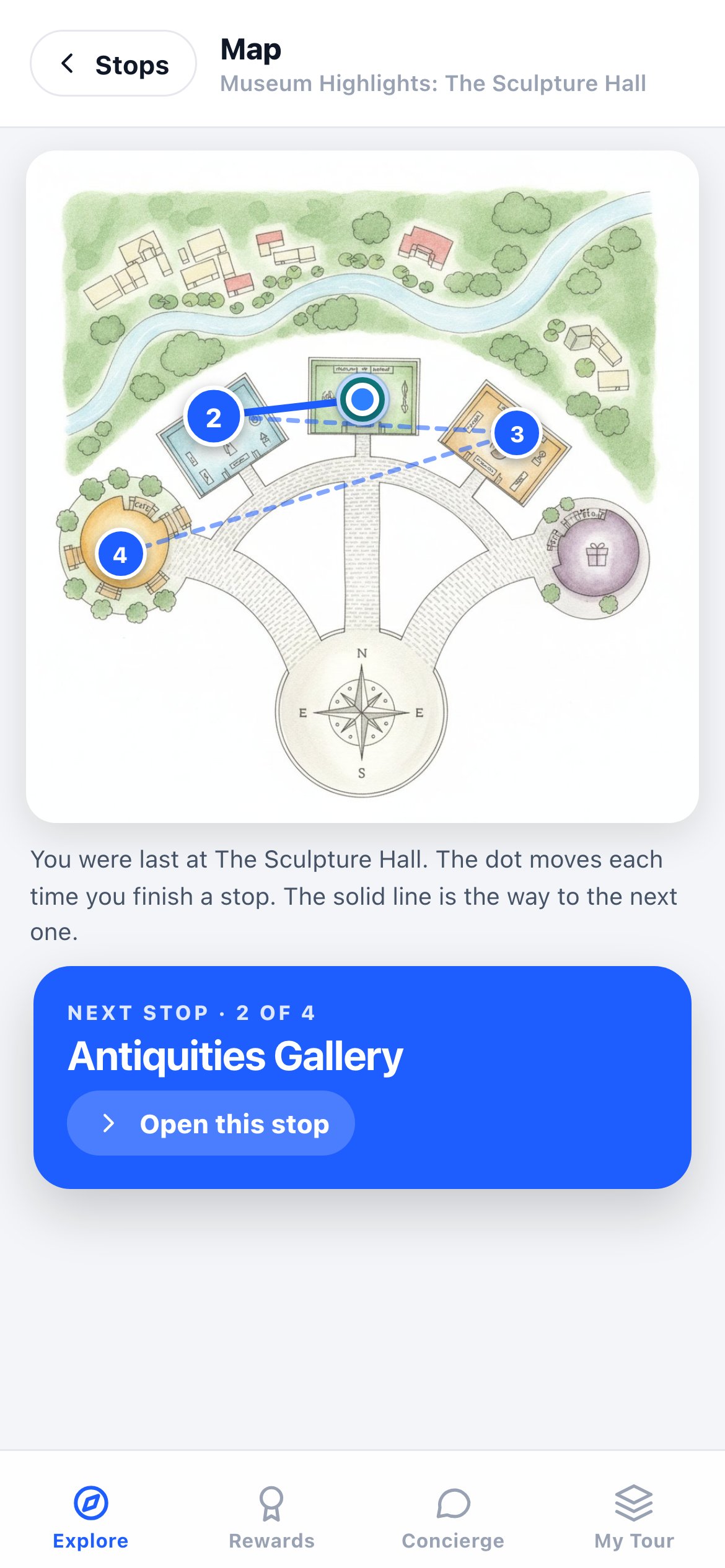
The visitor app's map of the Sculpture Hall tour, with numbered stops and the way to the next one
The mapWhat they've finished, the way to the next stop, and, outdoors, where they are.
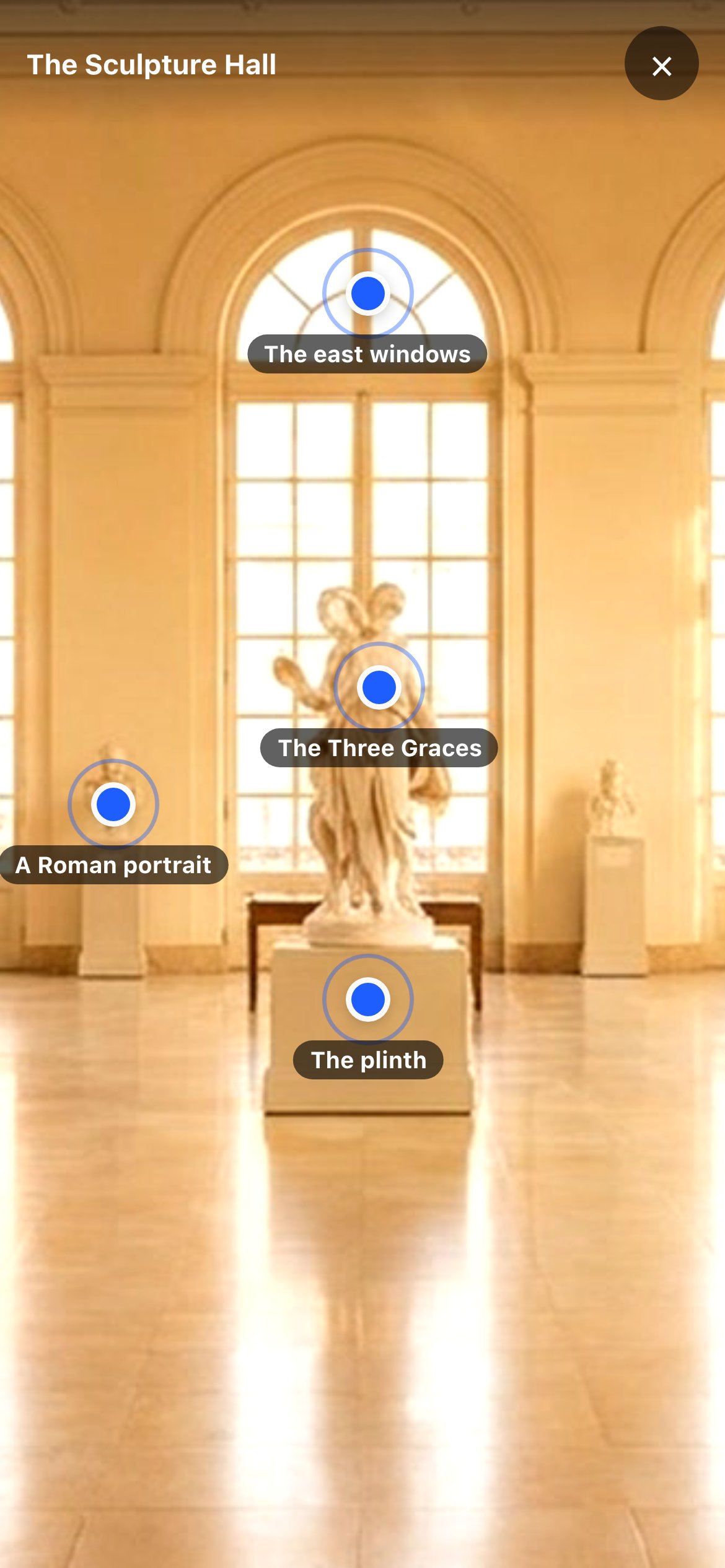
Point at the exhibit: the phone camera on a marble sculpture, with points to tap on the windows, the sculpture, a portrait and the plinth
Point at the exhibitHold the phone up to the piece and points appear on it. Tap one to learn what you're looking at.
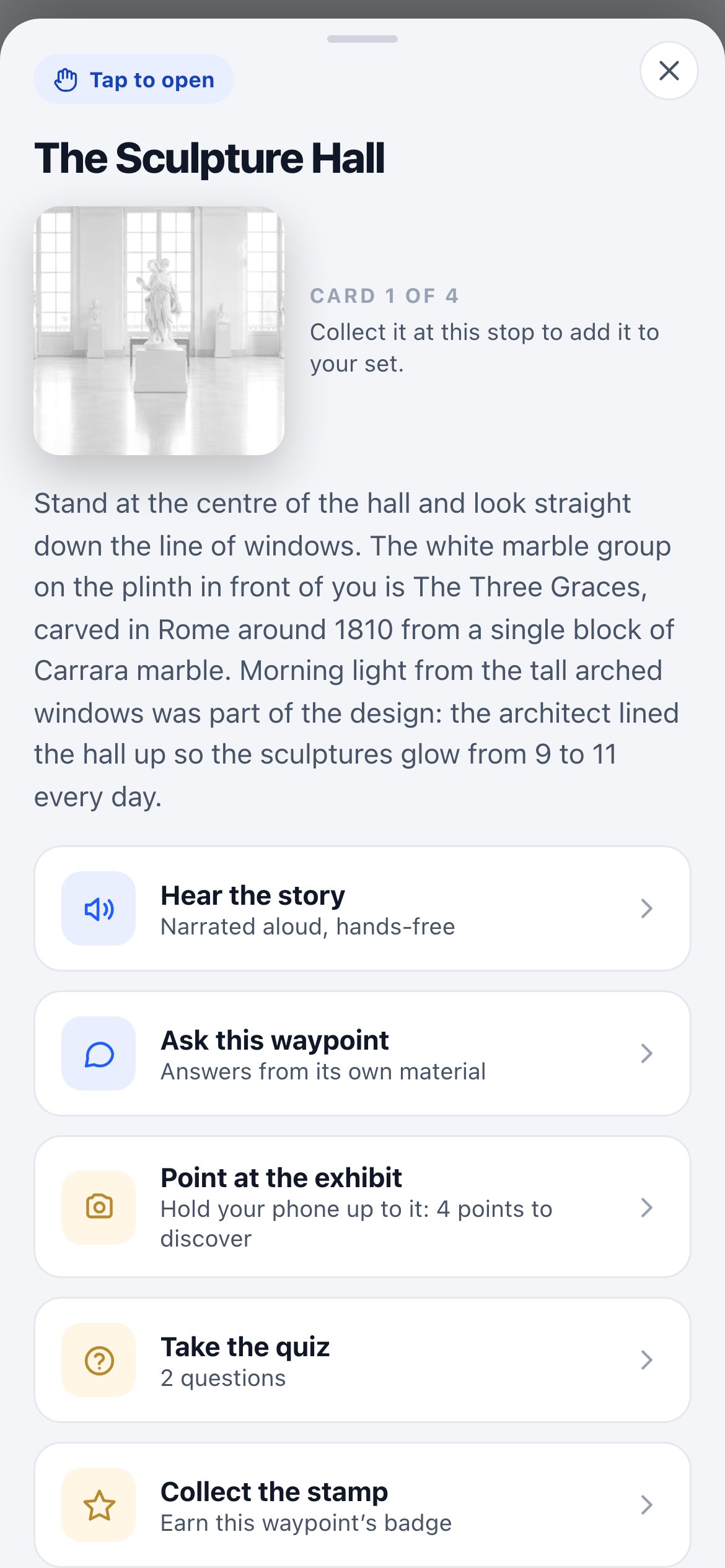
A stop in the visitor app: The Sculpture Hall, with Hear the story, Ask this waypoint, Point at the exhibit, Take the quiz and Collect the stamp
The stopHear the story with play and pause, ask it a question, take the quiz and collect the stamp.

The real visitor app, on a museum tour built in Waypoints Studio. No download: a stop opens with a tap, a QR sticker or an NFC tag on Android phones, and outdoors GPS can check they are really there.

Visitor-made tours

Then your visitors build tours of their own.

Explaining a hall out loud to a friend is where real learning happens. Switch it on, and visitors don’t just follow your tour: they make spots of their own from the things they love, with a photo and a note they can type or say out loud, and share the tour with someone who walks it next, reading the hall in their words.

1

Make their own spot

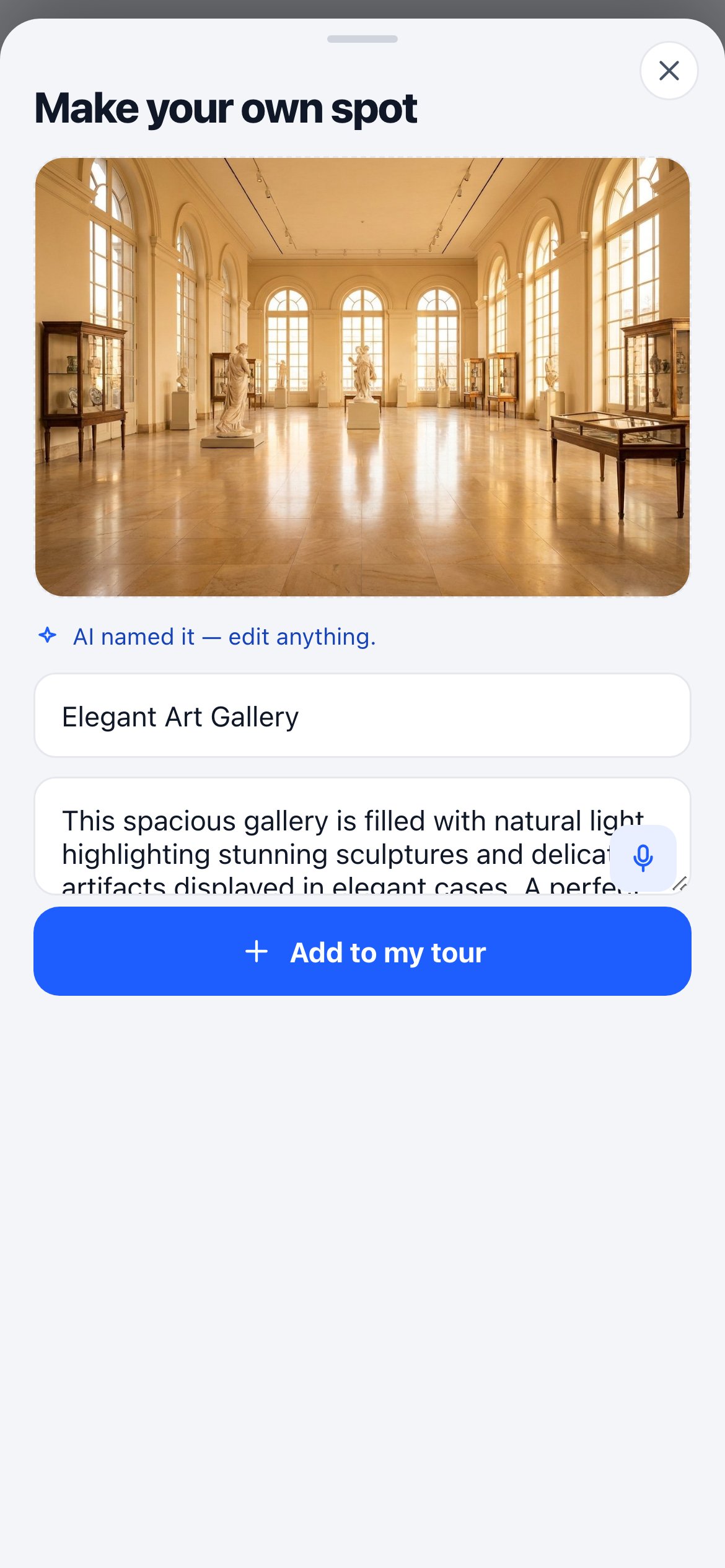
Tap Make your own spot: snap a photo, the AI names & describes it, and they add a note, typed or spoken. It becomes their spot.

2

AI turns it into a tour

The AI writes a title and an intro, and their spots become a tour they can share.

3

Share it — and you keep the lead

They share it with friends who walk it in your venue. Their name and email land in your dashboard.

Make your own spot: a visitor's photo of a gallery, named and described by the AI, ready to add to their tour
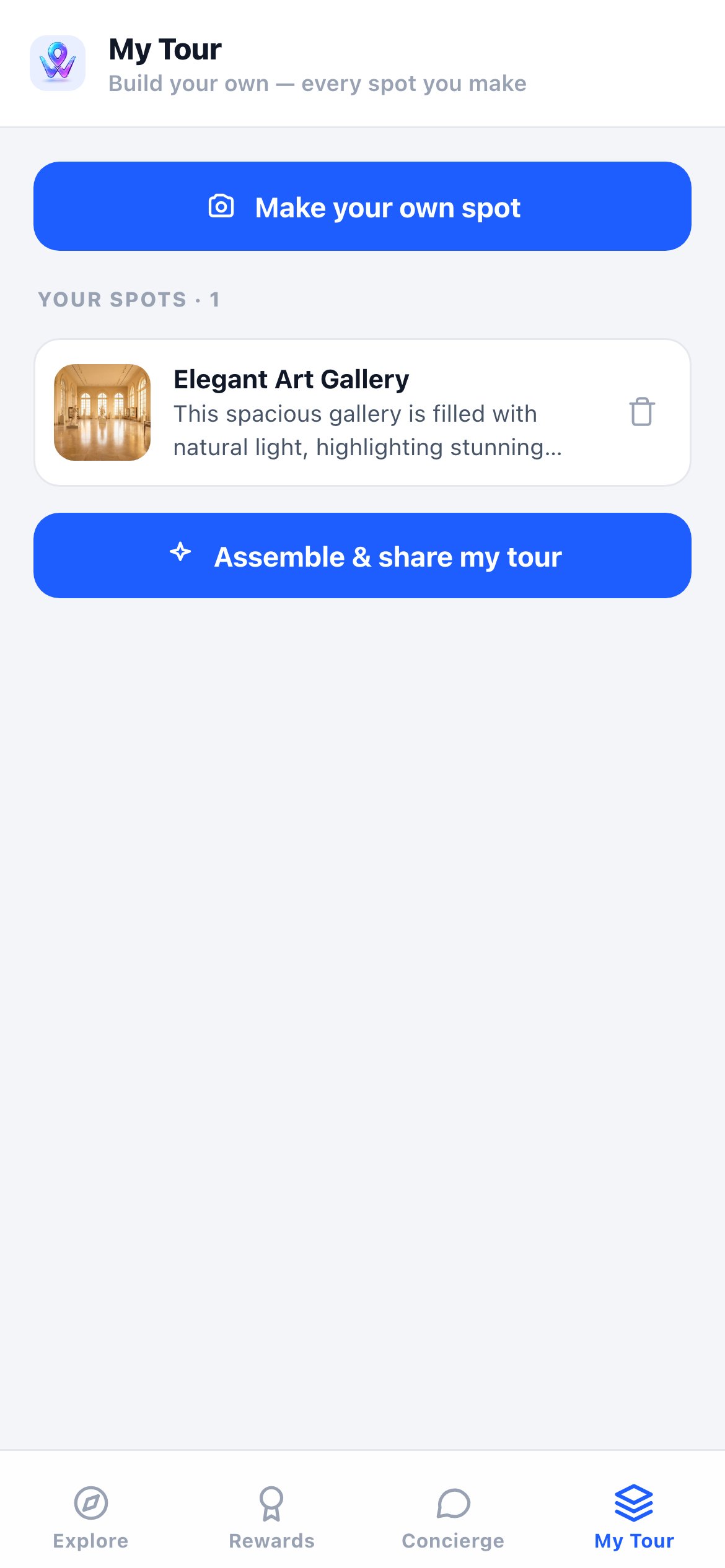
My Tour: the visitor's own saved spot, with Assemble and share my tour
The real visitor app: making a spot, then sharing the tour
The tour library

A library of tours, made by the people who love your place.

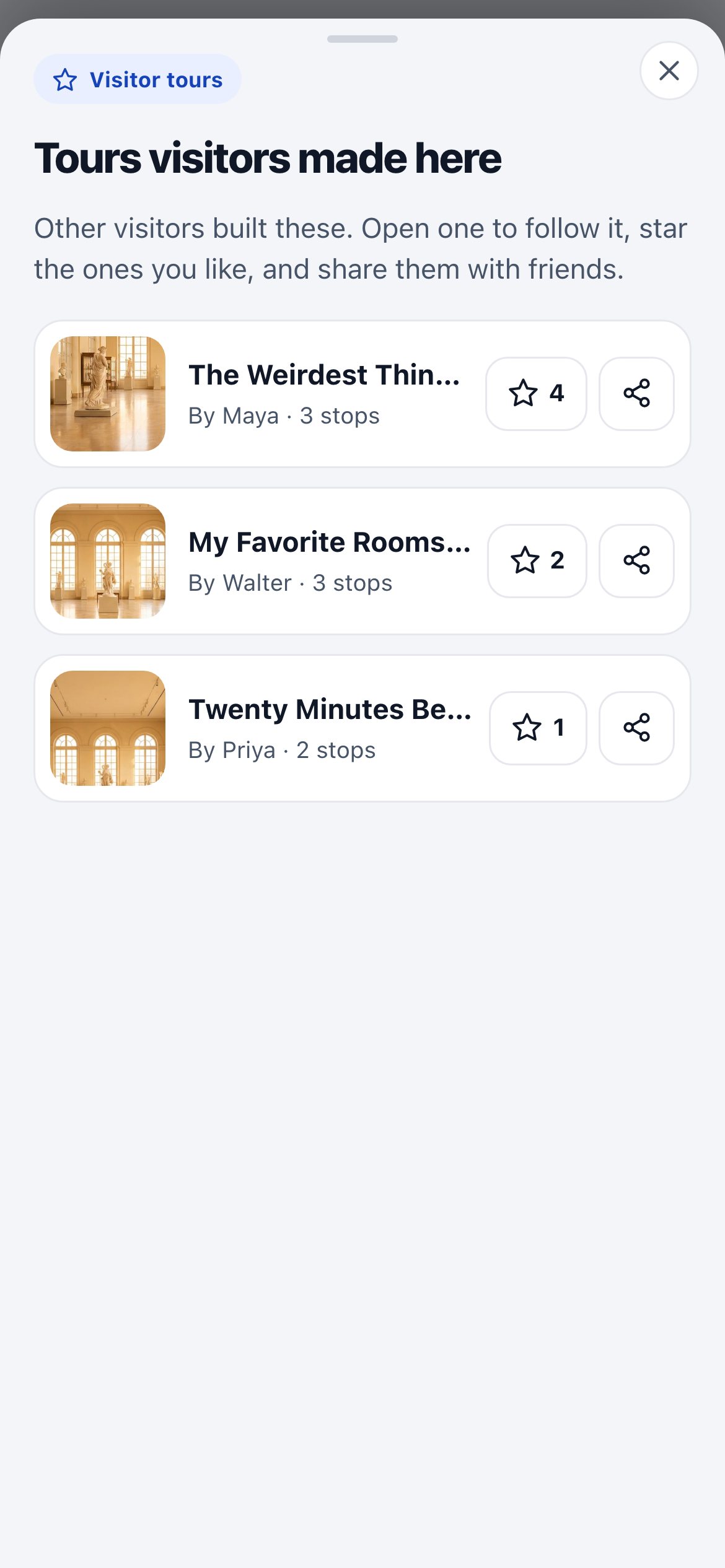
When a visitor finishes their own tour, they can add it to your place's public library. Other visitors browse it, star the ones they like and share them with friends. The best tours rise to the top, and every one of them sends someone new through your doors.

The tour's home screen in the visitor app, with a Visitor tours button showing three tours
Visitor tours · 3Right on the tour's home screen.
Tours visitors made here: three tours by Maya, Walter and Priya, each with a photo, its star count and a share button
Tours visitors made hereMost starred first. Star one, or share it.
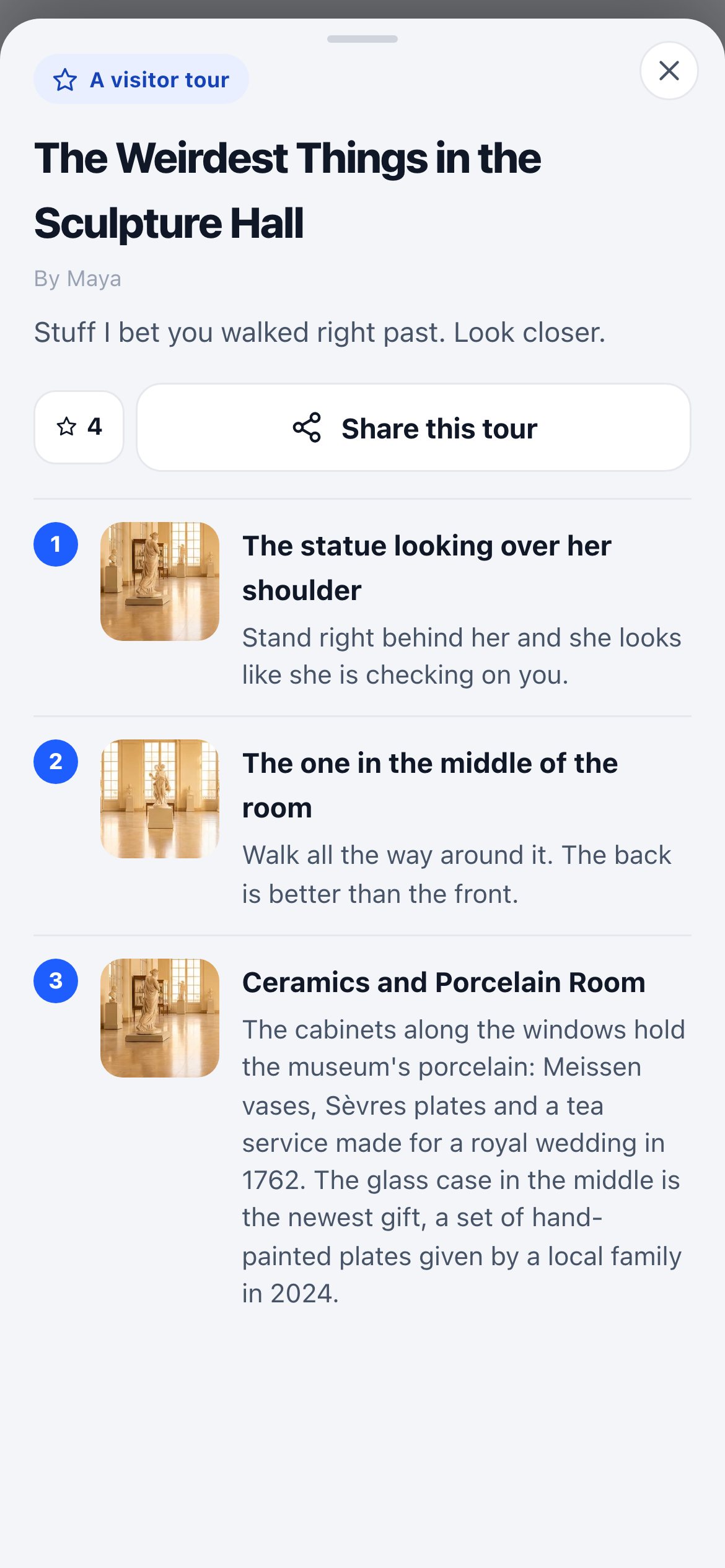
A visitor tour opened: The Weirdest Things in the Sculpture Hall by Maya, with its stops, her photos and notes
Maya's tourHer photos, her words, her order.
Make it

A visitor builds a tour from the spots they loved, in their own words, and adds it to the library.

Find it

The next visitor opens Visitor tours and sees tours by real people, the most starred first.

Star it, share it

They walk one, star it, and send it to a friend, who comes to walk it too.

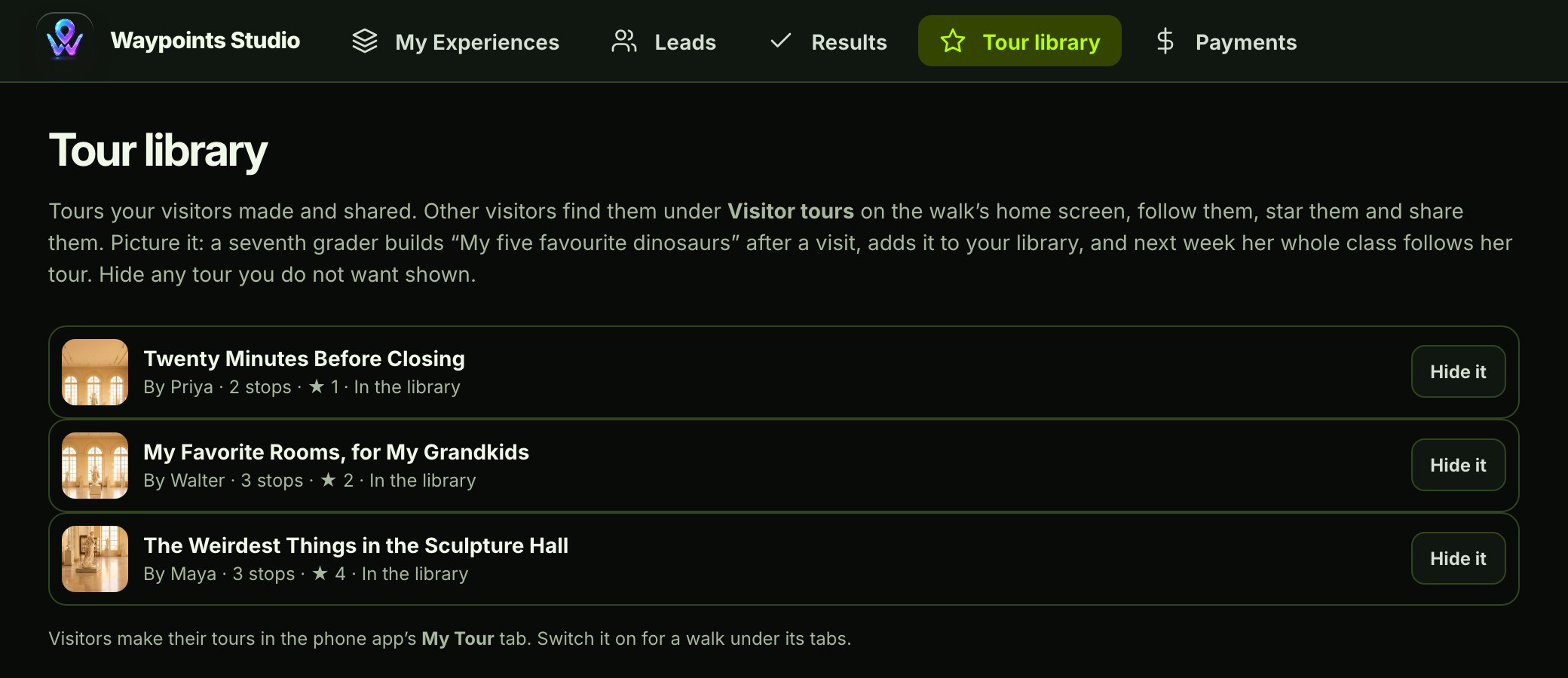
Waypoints Studio's Tour library tab: three visitor tours, each with its author, stops, stars and a Hide it button
Your team stays in chargeEvery tour in your library shows up in Studio, with who made it and how many stars it has. Anything you'd rather not show, hide with one click.
Picture itA teenager makes "The Weirdest Things in the Sculpture Hall" and adds it to the library. A month later it's the most starred tour there, and families are walking it every weekend.

Every shared tour brings a new visitor through your doors, and their name comes back to you. Book a demo to see a visitor build one.

For schools and field trips

On a field trip, students build the tour.

The best way to learn something is to explain it to someone else. So on a Waypoints field trip, students don't only follow your tour. They can make their own, on their phone, for their classmates and their family to walk. The teacher sets the class's age once, so a 2nd-grade class and a high-school group each get the tour written for them.

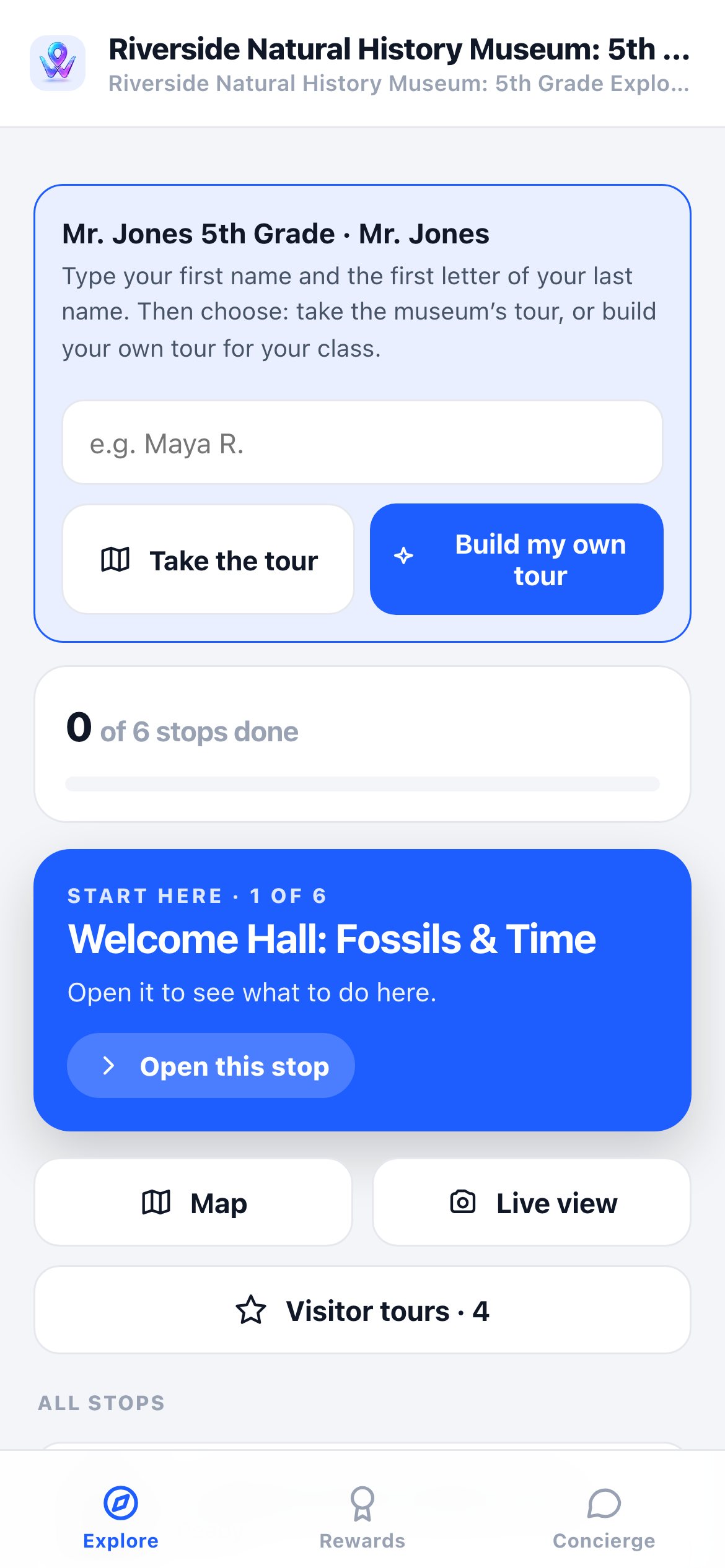
A field trip's first screen: Mr. Jones 5th Grade, a name box, and two buttons, Take the tour and Build my own tour
Take the tour, or build oneThe trip starts with one clear choice.
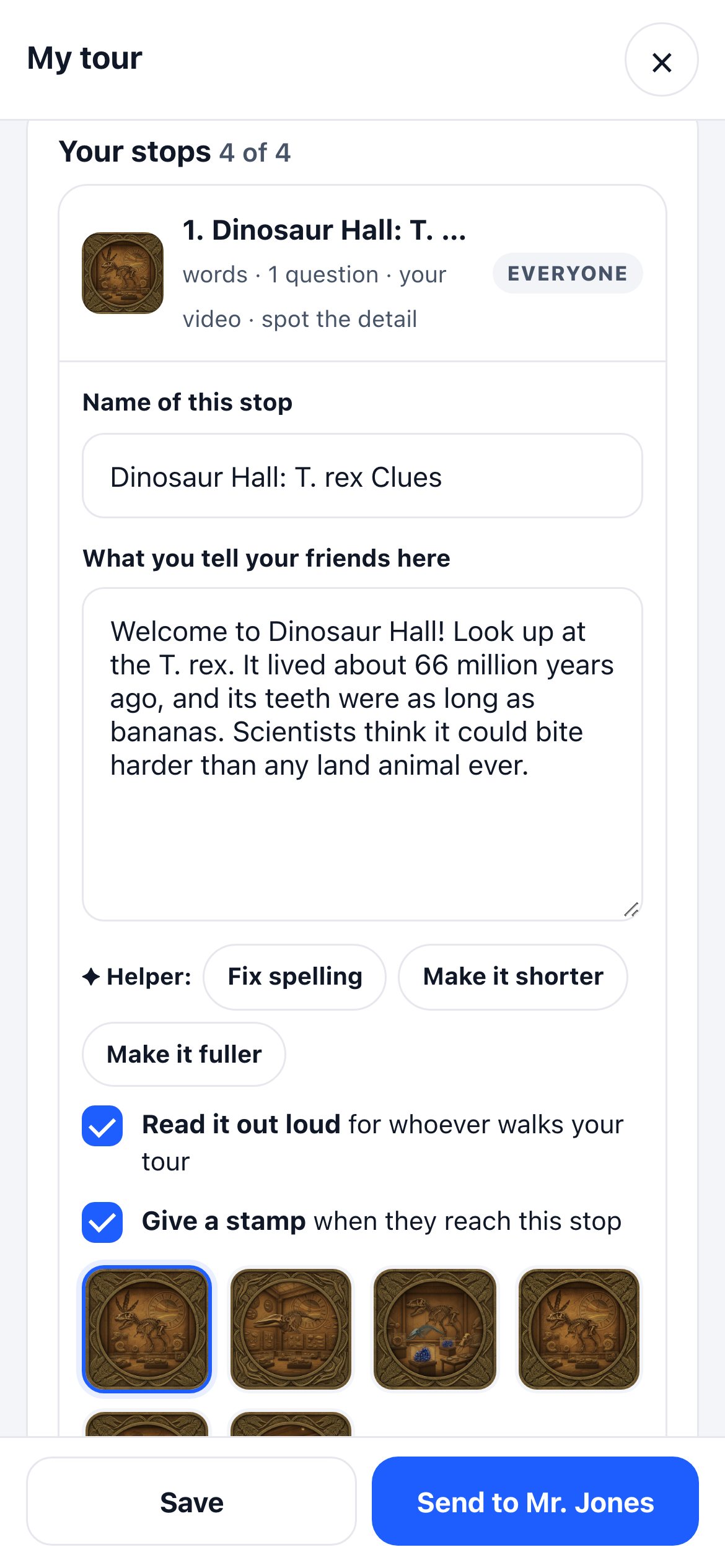
A student's stop in the builder: what they tell their friends about the T. rex, a spelling and polish helper, Read it out loud, and a stamp picked from the museum's set
Say it in their own wordsWith a spelling helper, read out loud, and a stamp to give.
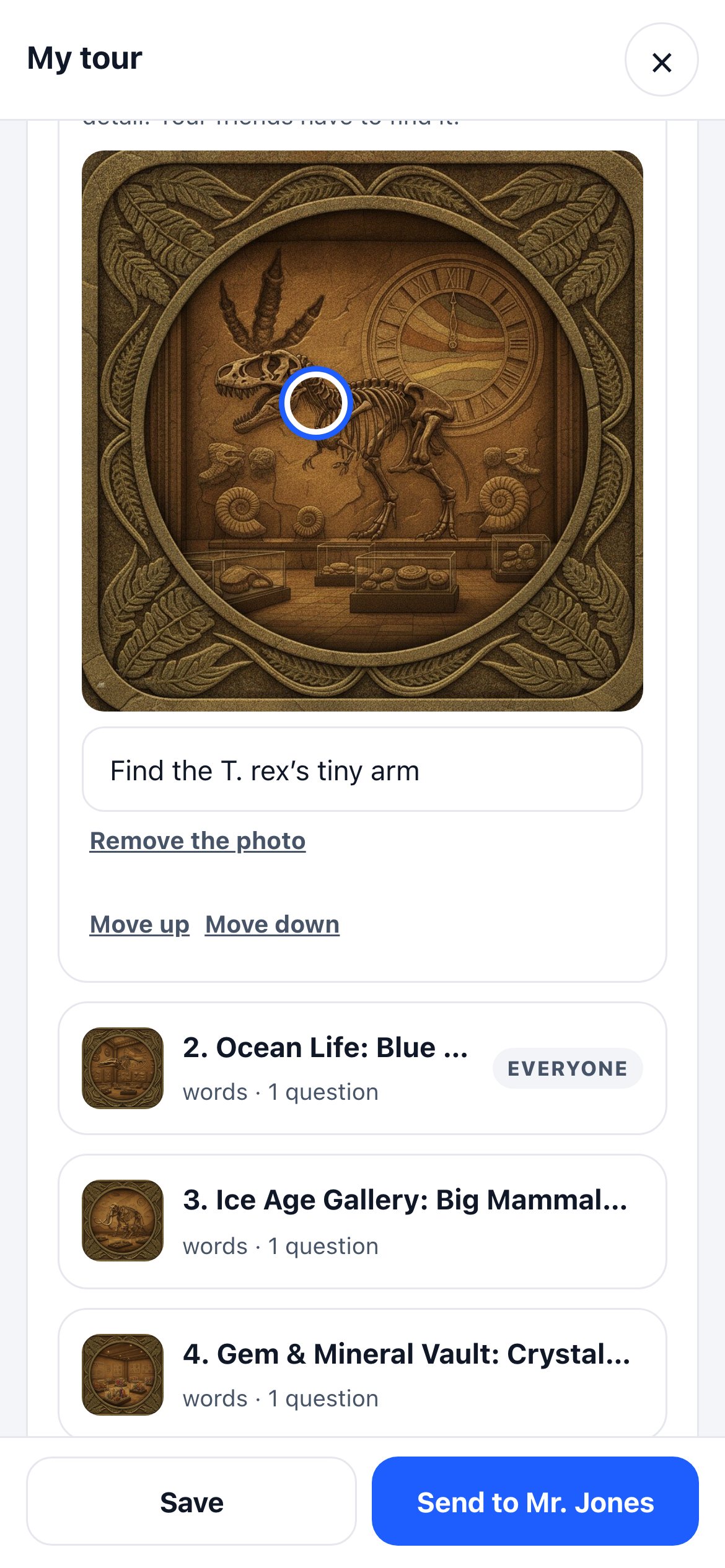
Spot the detail: a student's photo of the exhibit with a circle on the T. rex's tiny arm for friends to find
Spot the detailPhotograph the exhibit, tap a tiny detail, and friends have to find it.
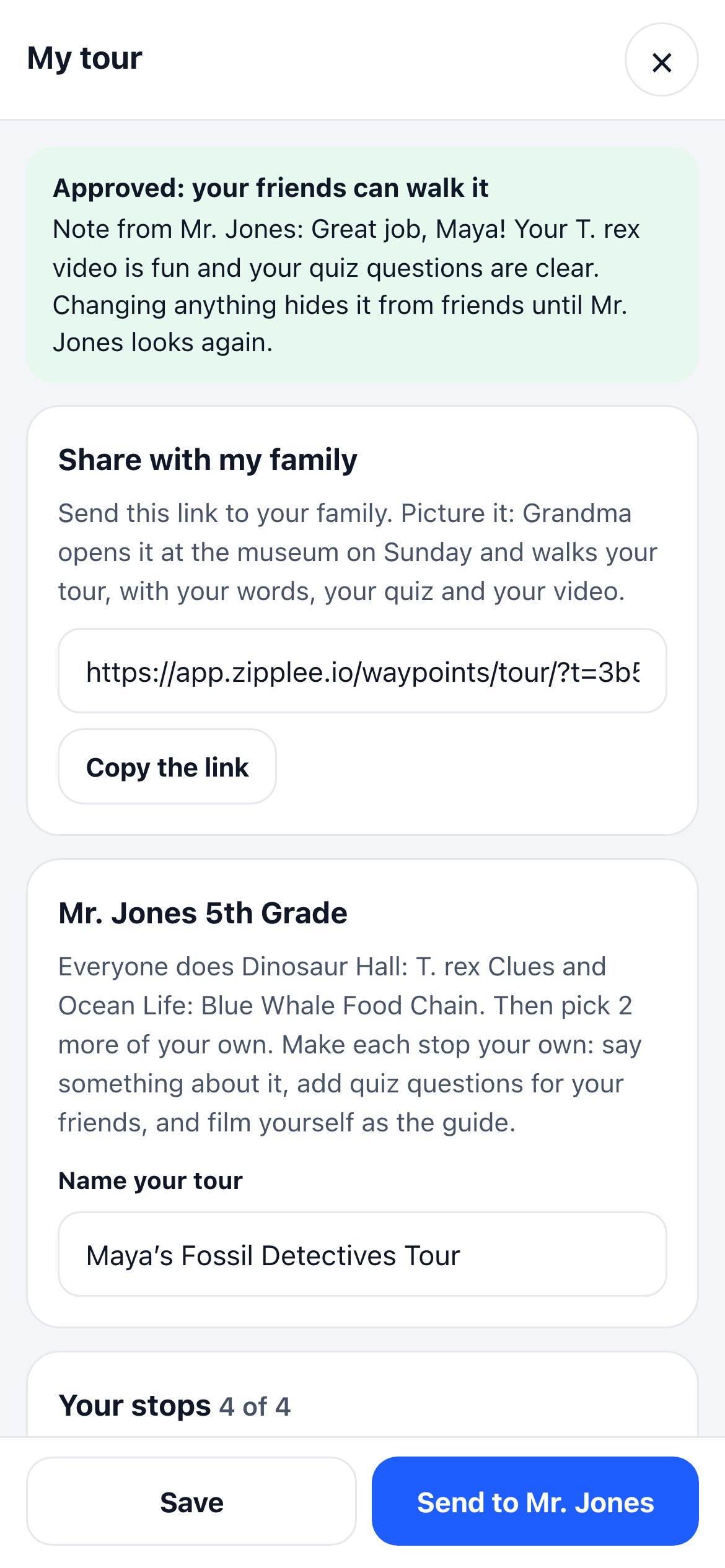
Approved: your friends can walk it, with the teacher's note and a Share with my family link
Approved, and sharedThe teacher's note, and a link for Grandma.
1

Make each stop their own

At each stop, a student writes what they'd tell a friend, writes quiz questions and ticks the right answer, and picks a stamp from your museum's own set. They can film themselves as the guide, like they work here, and hide a detail in a photo for friends to find.

Picture itMaya stands at the T. rex and films herself explaining why its arms were so small. Her friend Leo holds the phone.
2

Checked before the teacher sees it

When a student taps Send to my teacher, a checker reads the tour first. It catches a quiz answer that's wrong, a fact that isn't true, or an unkind word, and marks the stop it's on. The student fixes it, or sends it anyway, and the teacher sees what the checker said.

3

The teacher approves it

Teachers get their own private page, with no account to make. They read each tour, approve it, or send it back with a note. They also see each student's stops, quiz answers and recordings by name.

4

Classmates walk it

Approved tours appear on the trip under Your class's tours. Classmates tap Walk it and try each other's quizzes, and the maker sees who walked it and how they did. Back at school, Finish it on a computer opens the same tour to keep building.

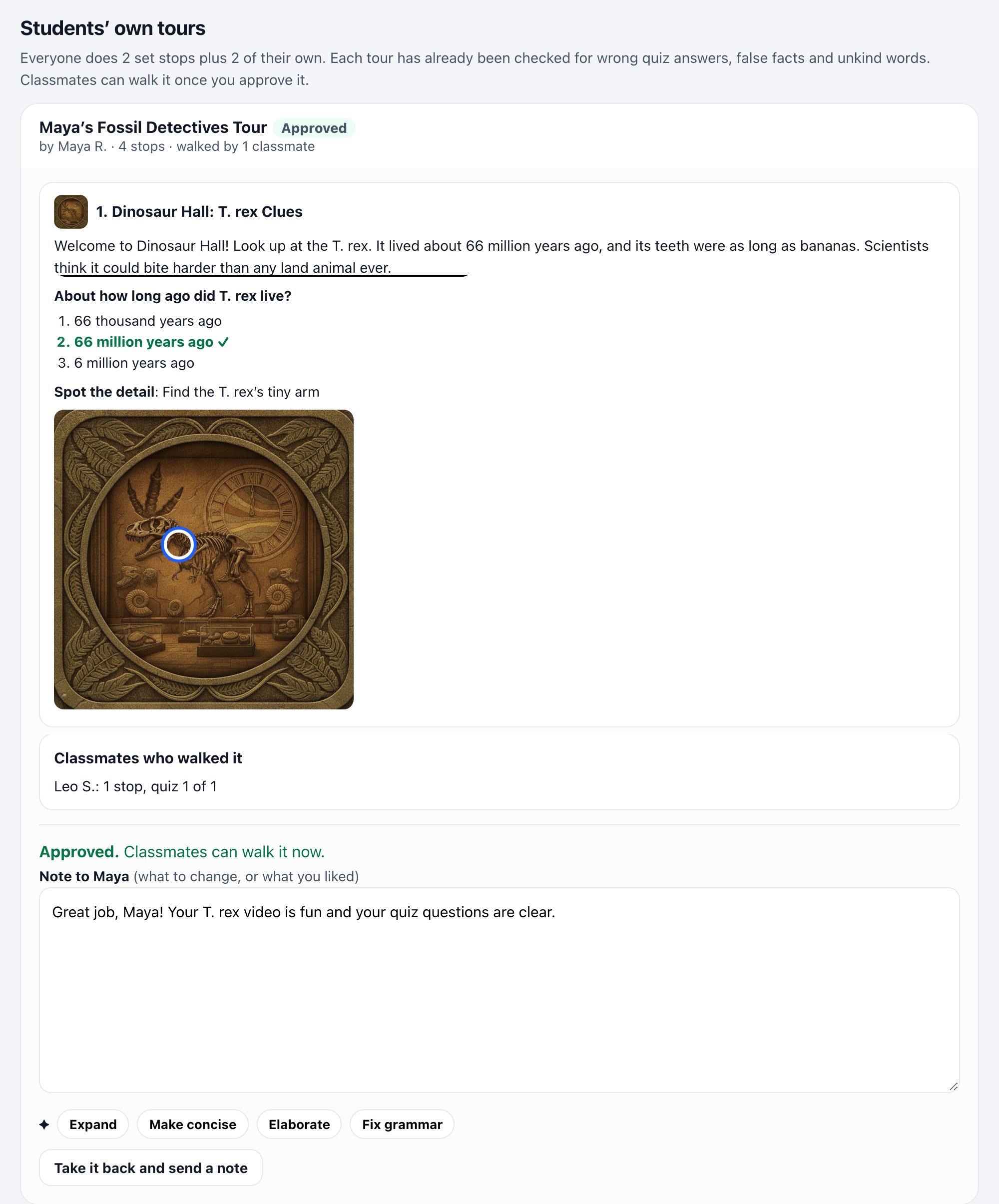
The teacher's page: Maya's Fossil Detectives Tour, approved, with her words, her quiz with the right answer ticked, her Spot the detail photo, the classmate who walked it, and the teacher's note
The teacher's page. Maya's tour, her quiz and her Spot the detail, who walked it, and the note her teacher sent back.

You set the rule for each trip

Your team decides how much of the tour students build themselves.

  • 1Same stops for everyone. Every student makes their own version of the stops you choose.
  • 2Some for everyone, plus a few of their own. Everyone does the T. rex and the blue whale, then picks two more.
  • 3They pick their own. Each student chooses the stops that caught their eye.
Picture itA fifth grade class arrives for the dinosaur unit. Everyone does the two dinosaur stops, and each student adds two halls they chose.

You decide what goes public

Every approved tour can be shared with family. Going further is your call.

  • ✓One switch decides whether approved student tours can go in your public library at all.
  • ✓Each tour can be public, or kept to the class and family.
  • ✓A tour with a student's video only goes public once you tick video permission.
  • ✓In public, students show only as a first name and last initial, and the tour is marked as made by a student, with the class.
Book a demo for school groups See a whole class field trip, from the teacher's setup to the students' finished tours.
Stamp T-shirts

The stamps they collected, on a shirt they take home.

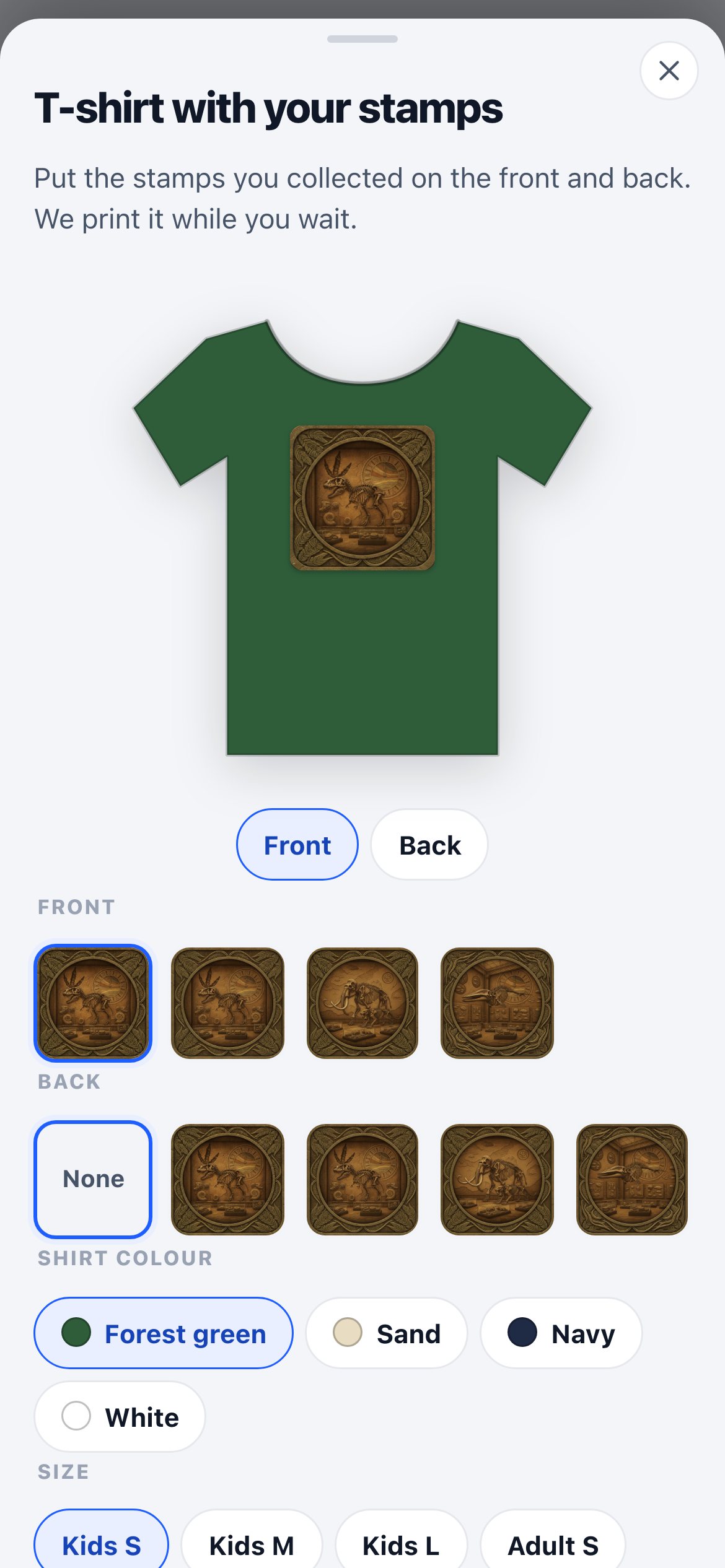
Every stop hands out a stamp. At the end of the visit, kids put the ones they collected on the front and back of a T-shirt, right on their phone, and pick it up from your shop.

  • ✓They choose the stamps, the colour and the size, and watch the shirt change as they go.
  • ✓Only stamps they really collected on the walk can go on the shirt.
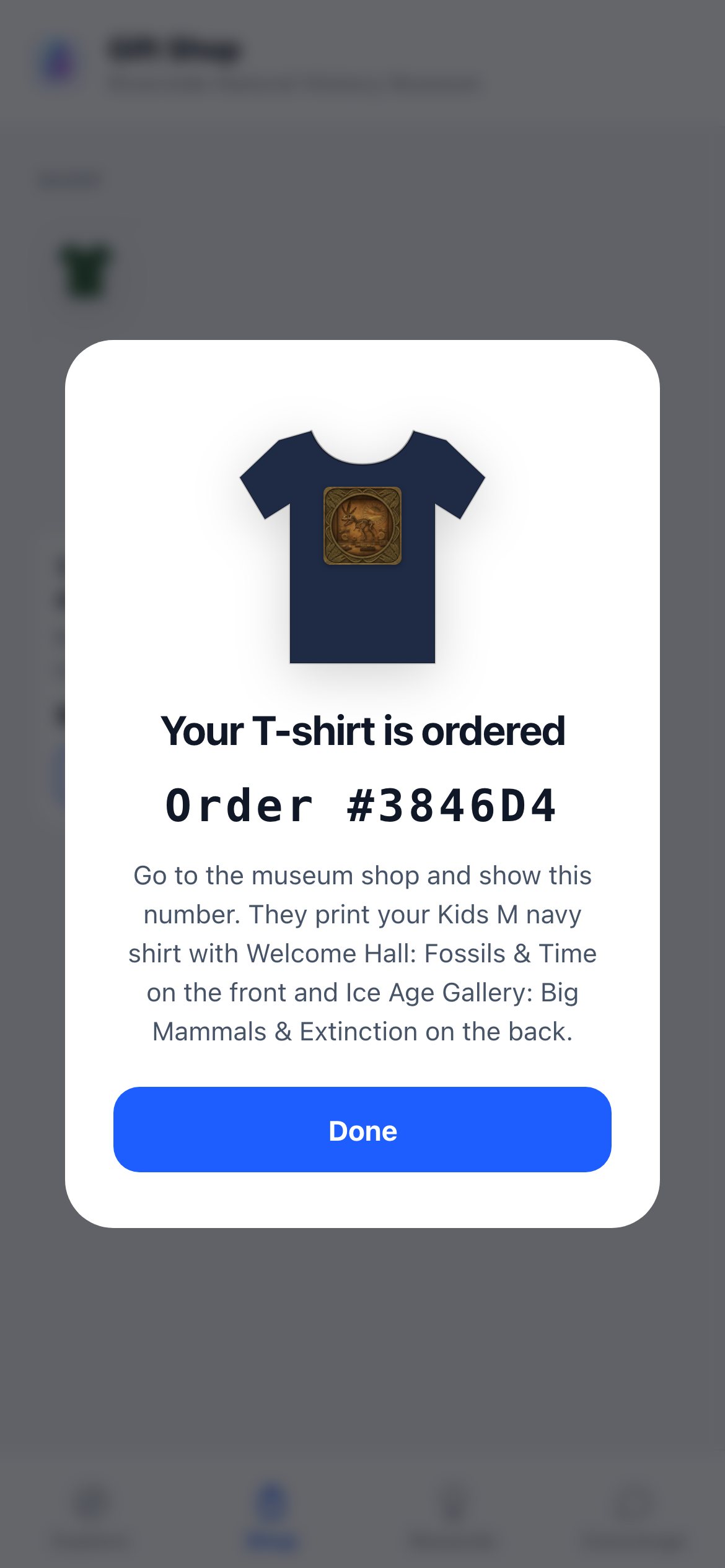
  • ✓They order on the phone, then pay and pick it up at your shop with their order number.
Picture itA boy finishes the Ice Age gallery, puts the T. rex on the front and the mammoth on the back of a navy shirt, and wears it out of the building.
T-shirt with your stamps: a green shirt with the T. rex stamp on the front, and choices for front, back, colour and size
Pick the frontFrom the stamps they collected.
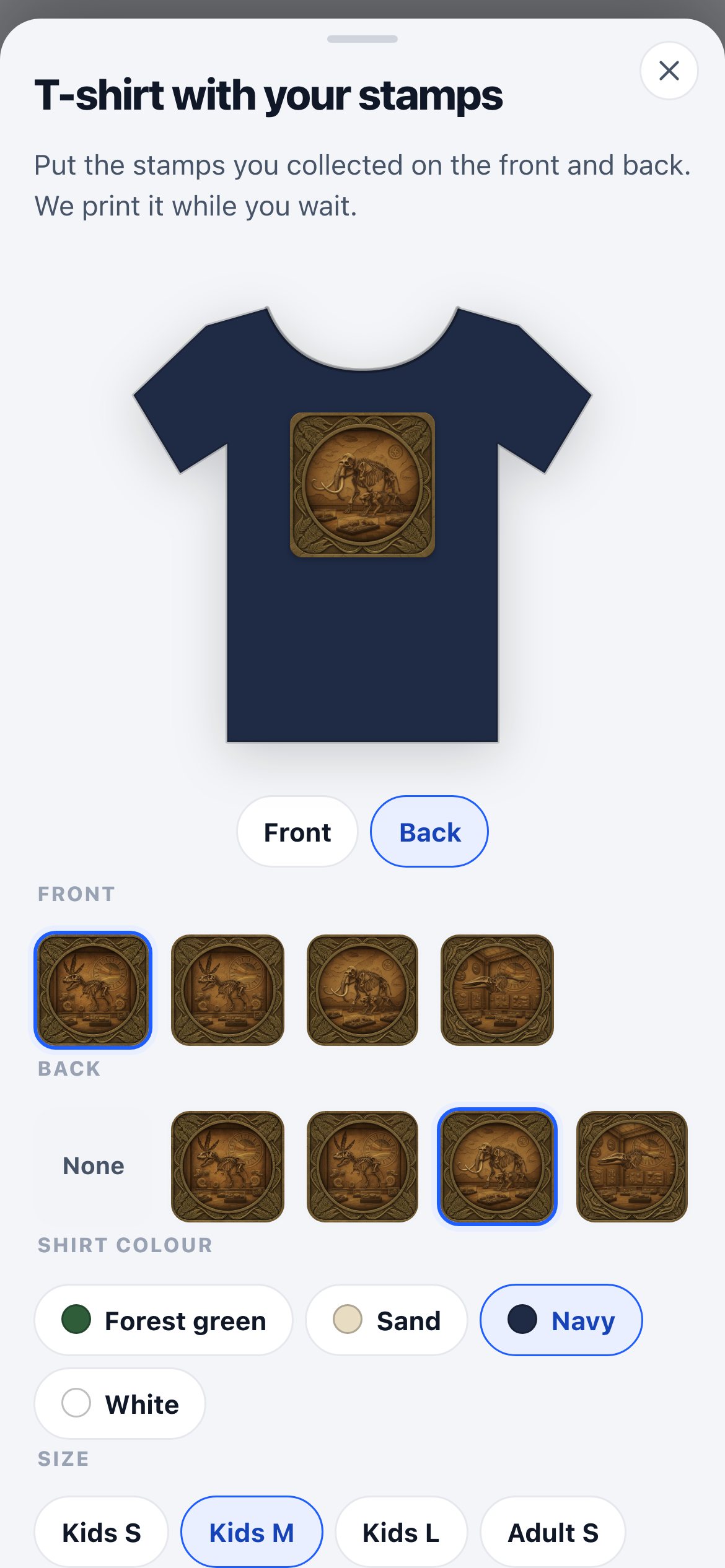
The back of a navy shirt with the mammoth stamp, size Kids M
Then the backColour and size, with a live preview.
Your T-shirt is ordered, with an order number to show at the museum shop
OrderedShow the number at the shop.
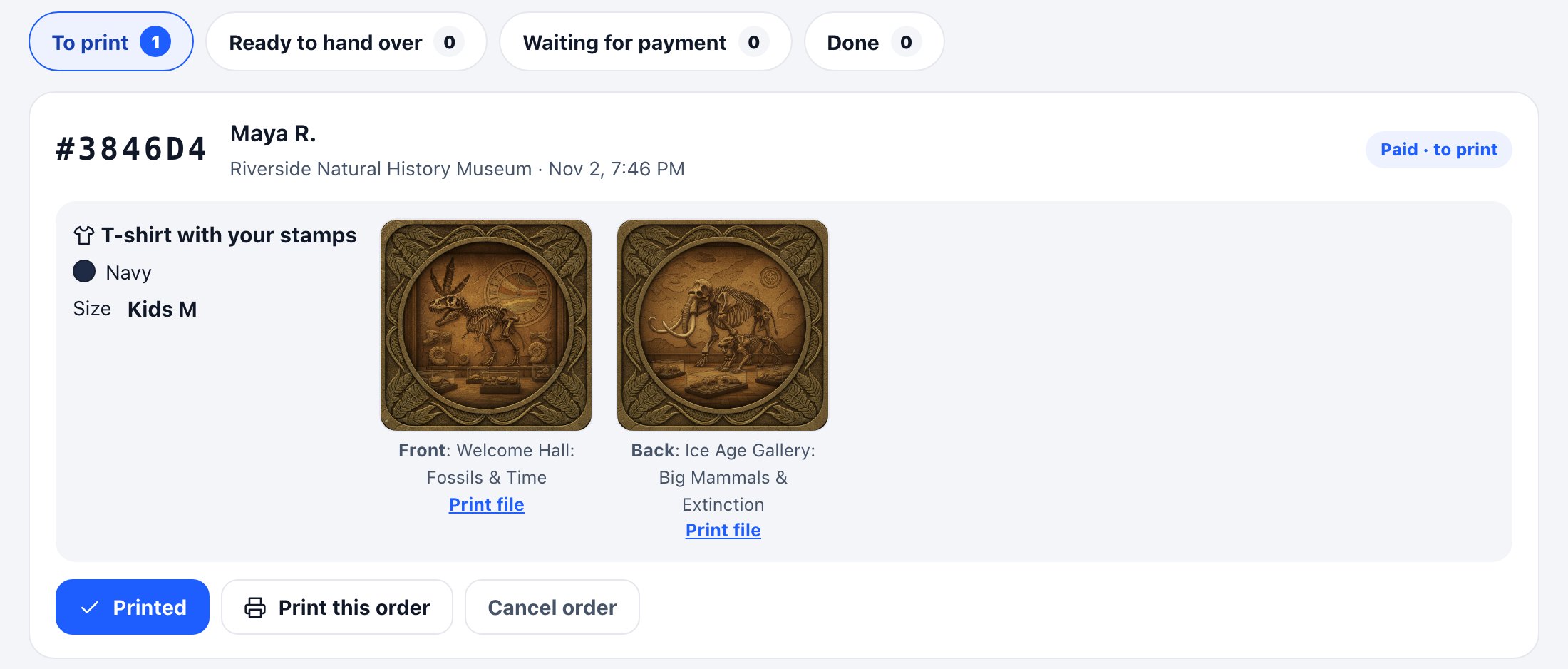
The shop's orders page: To print, Ready to hand over, Waiting for payment and Done, with an order for a navy Kids M shirt, the front and back stamps, print files, and a Printed button

Your shop gets its own page

The people at your print counter open one private link on any computer or tablet. No login, and they only see orders and shirt stock, never your walks or your students.

  • Every order from every walk, sorted into To print, Ready to hand over, Waiting for payment and Done.
  • Find an order by its number, then move it along: paid, printed, handed over.
  • The print file for each stamp, ready to go.
  • Run out of a size or colour? Tap it, and it disappears from visitors' phones until it's back.
One app for the whole visit

One app with your museum’s name on it, and nothing to download.

Every tour opens in the same app, in the phone your visitors already carry, with your museum’s name on it. Four tabs carry the whole visit.

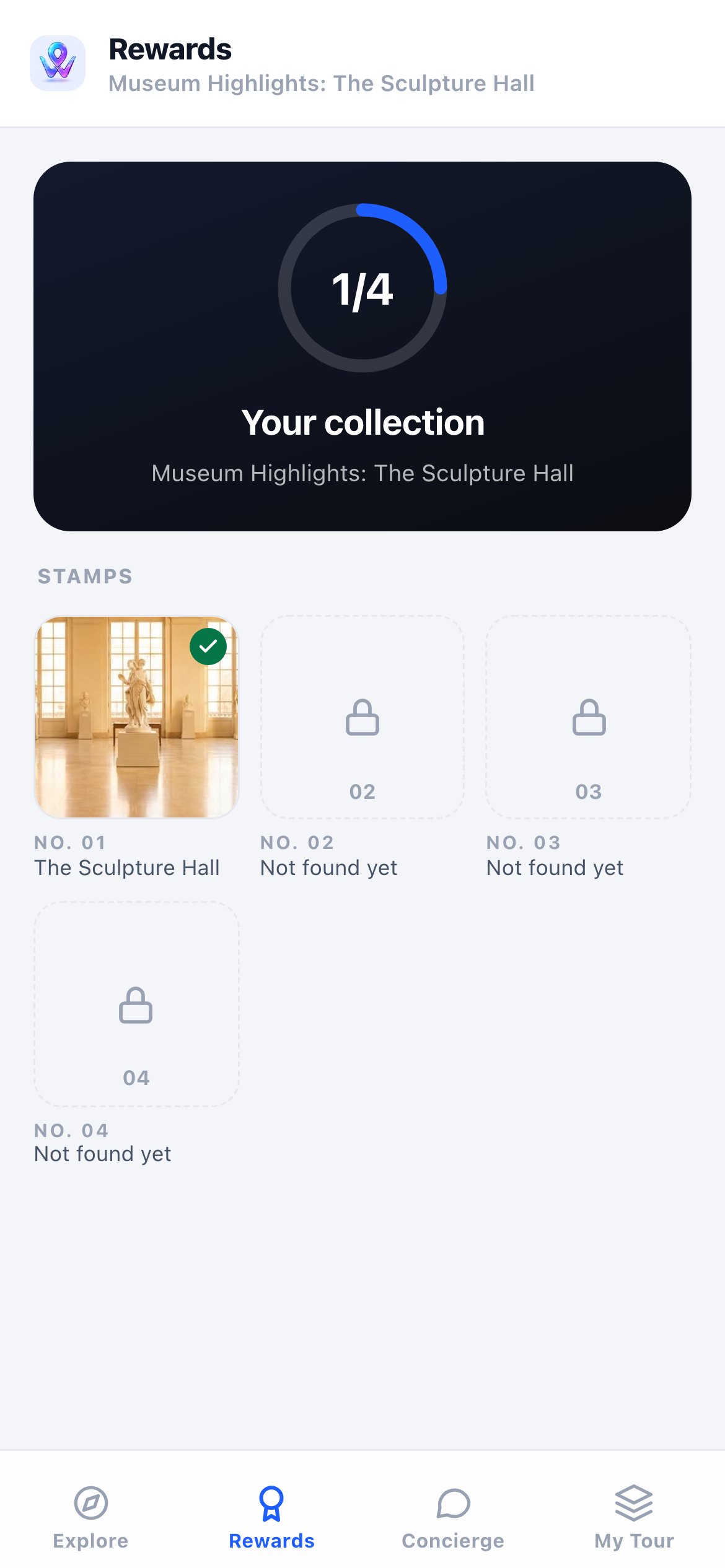
The Rewards tab in the visitor app: one of four stamps collected on the Sculpture Hall tour, three still to find

Explore

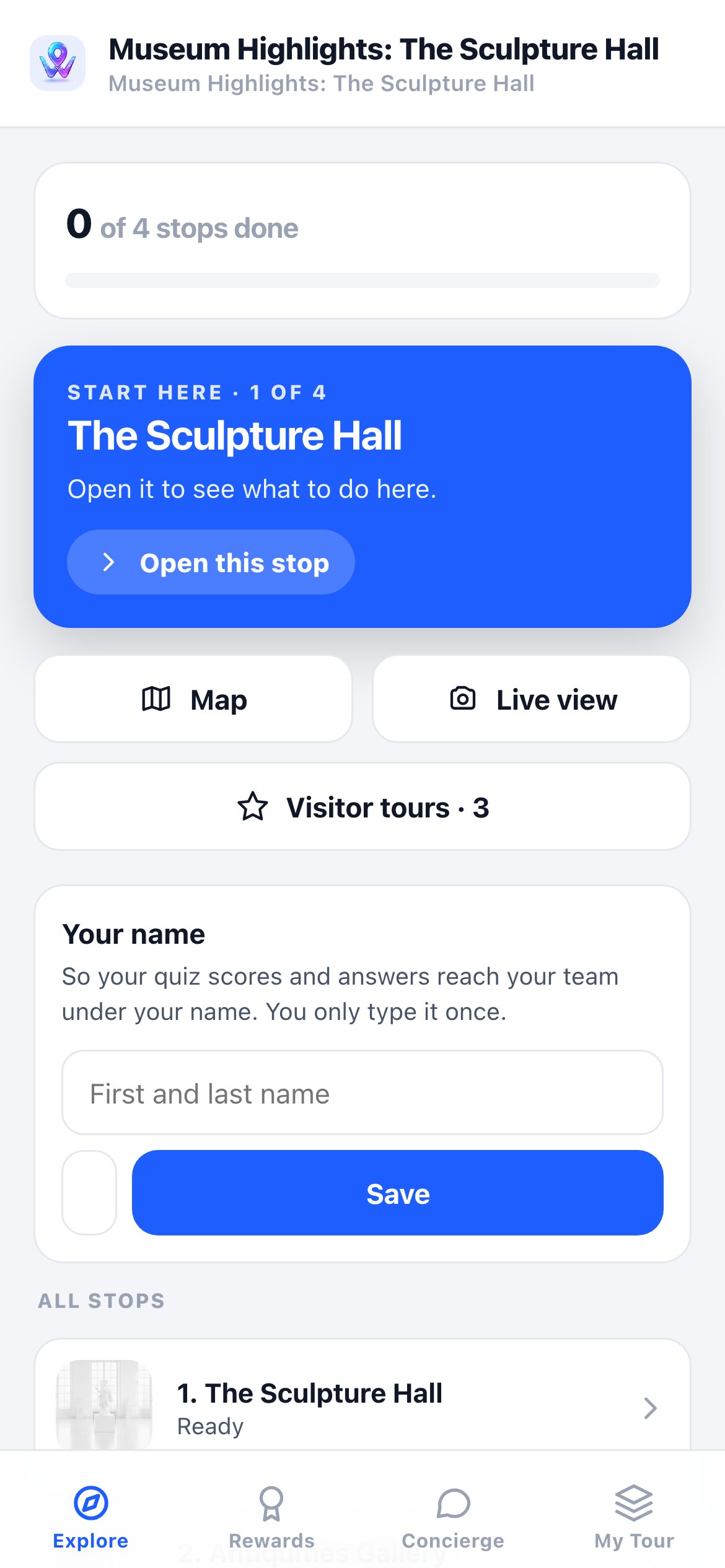
The tour itself: where to start, the map, a live camera view for outdoor stops, and every stop, ticked off as they go.

Rewards

The stamps they’ve collected. The empty slots show how many rooms are left to find.

Concierge

Ask about any stop on the tour from anywhere in the building, answered from your own material.

My Tour

When you switch it on, the tour the visitor builds for themselves, to share with whoever comes next.

One platform. Endless places.

The same Waypoints engine transforms itself for wherever people go — factories, museums, campuses, hotels, stadiums, workplaces, cities, and beyond.

The Studio

Building it is the easy part.

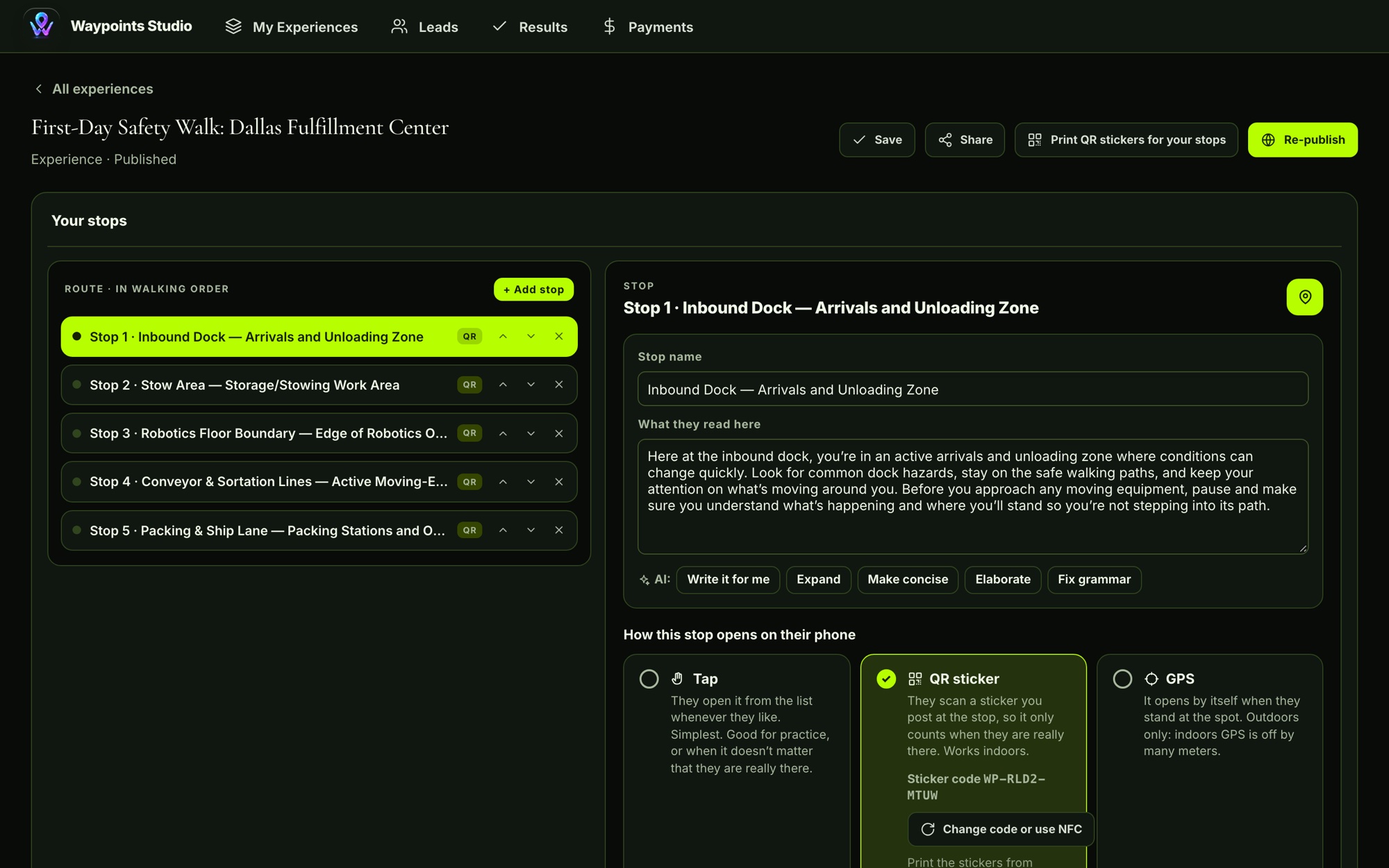
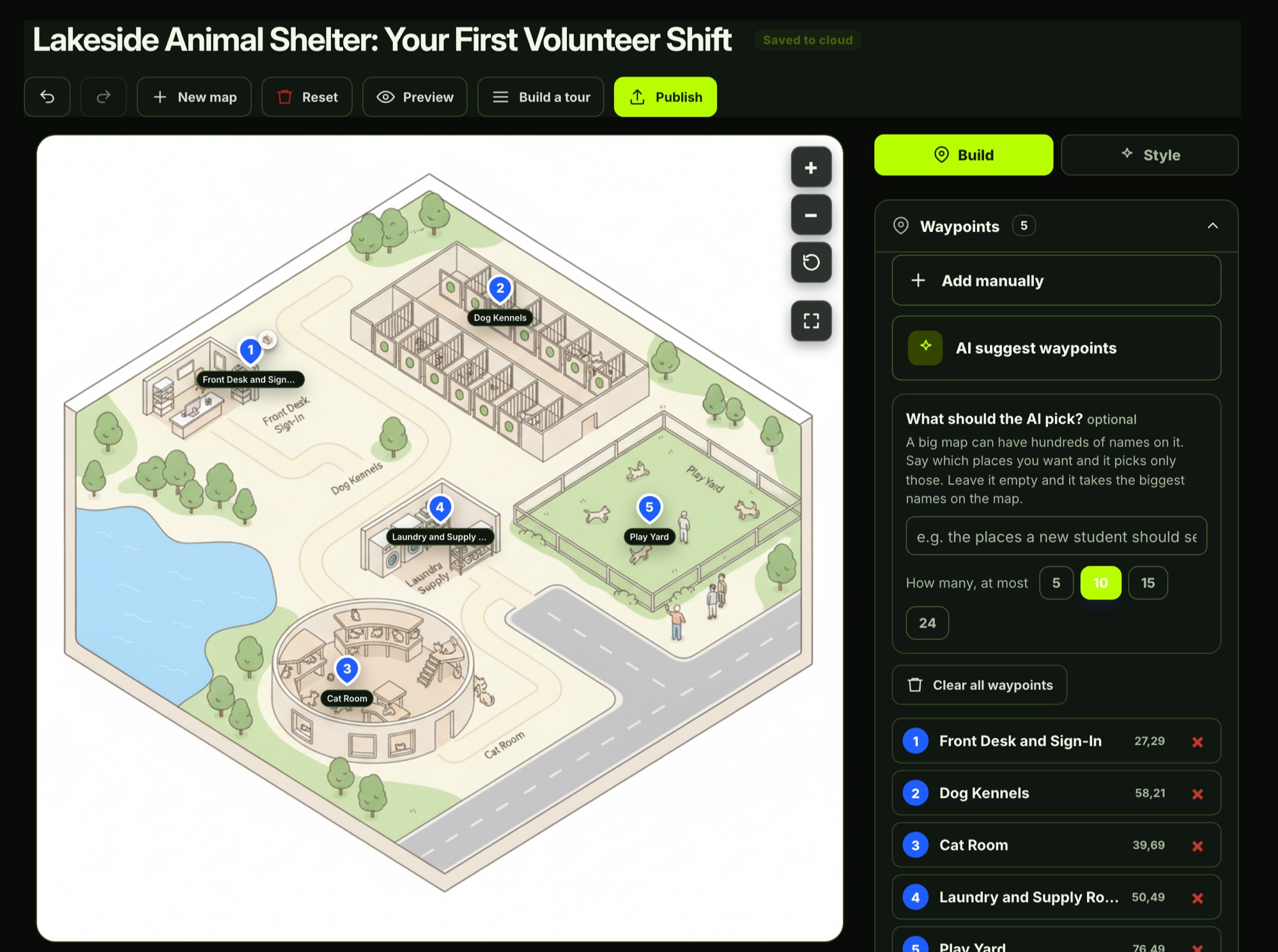
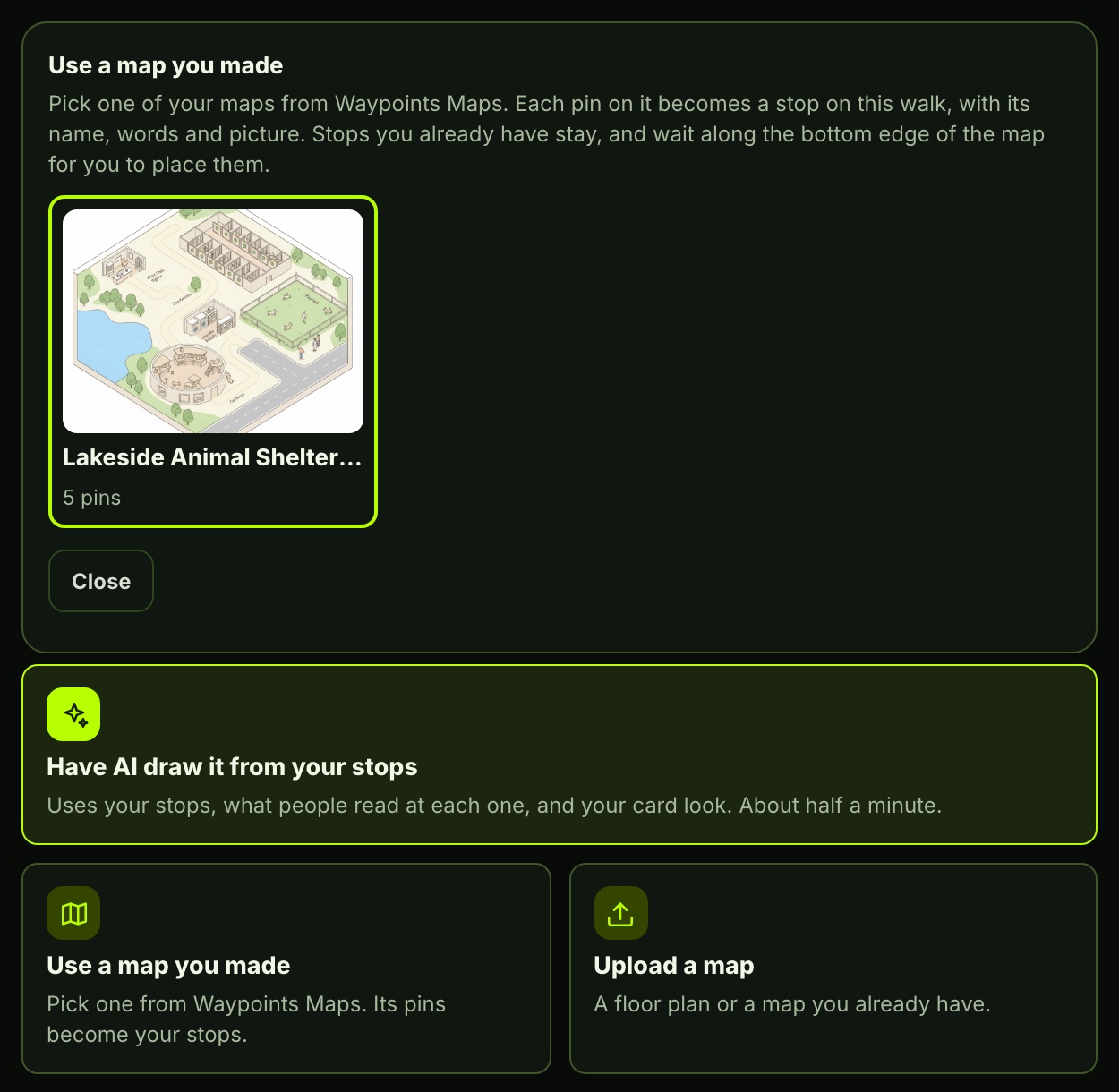
This is the real Waypoints Studio your staff will use. Start from a map you already have, let the AI suggest the stops, then shape each one and give the whole tour its look.

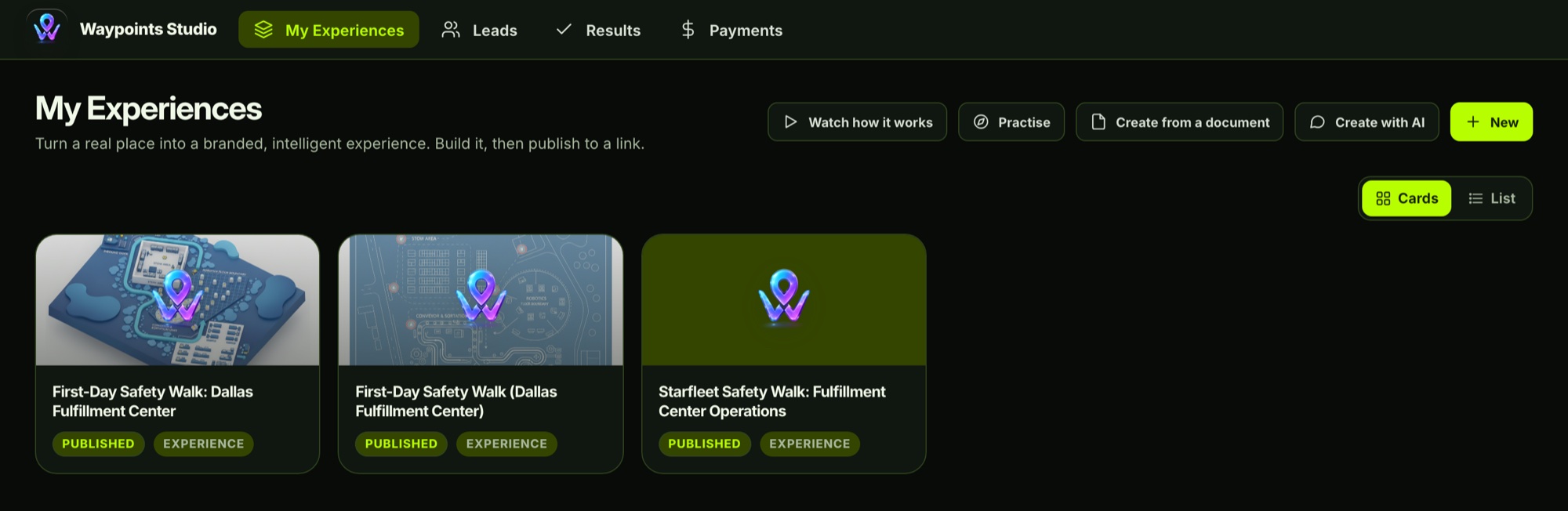
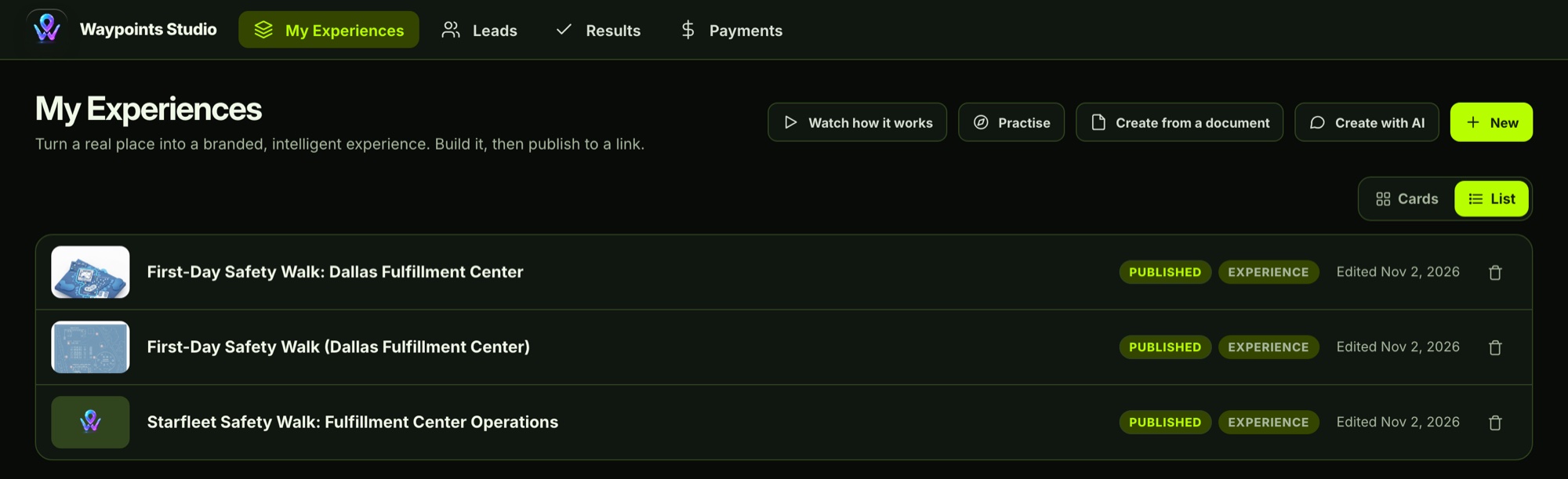
My Experiences in Waypoints Studio, card view, showing three published safety walksThe same experiences in list view, with edit dates
My Experiences

All your tours in one place

Every tour your team has built sits on one page, as cards with their cover art or as a list with the date each was last changed. Start a new one from scratch, from a document you already have, by describing it to the AI, or by walking through and photographing each exhibit.

Picture itA collections manager walks the fossil hall with her phone and photographs each case and its label. The AI reads every label word for word, and a few minutes later each case is a stop with its story, its quiz and points that light up on the real fossil.

Every screen here is the live product, captured as a working account.

From the front door
to the last stamp.

Every stop knows what it is and hands visitors what they can do there. These are real screens from a museum tour.

A family scans the sign at the door.

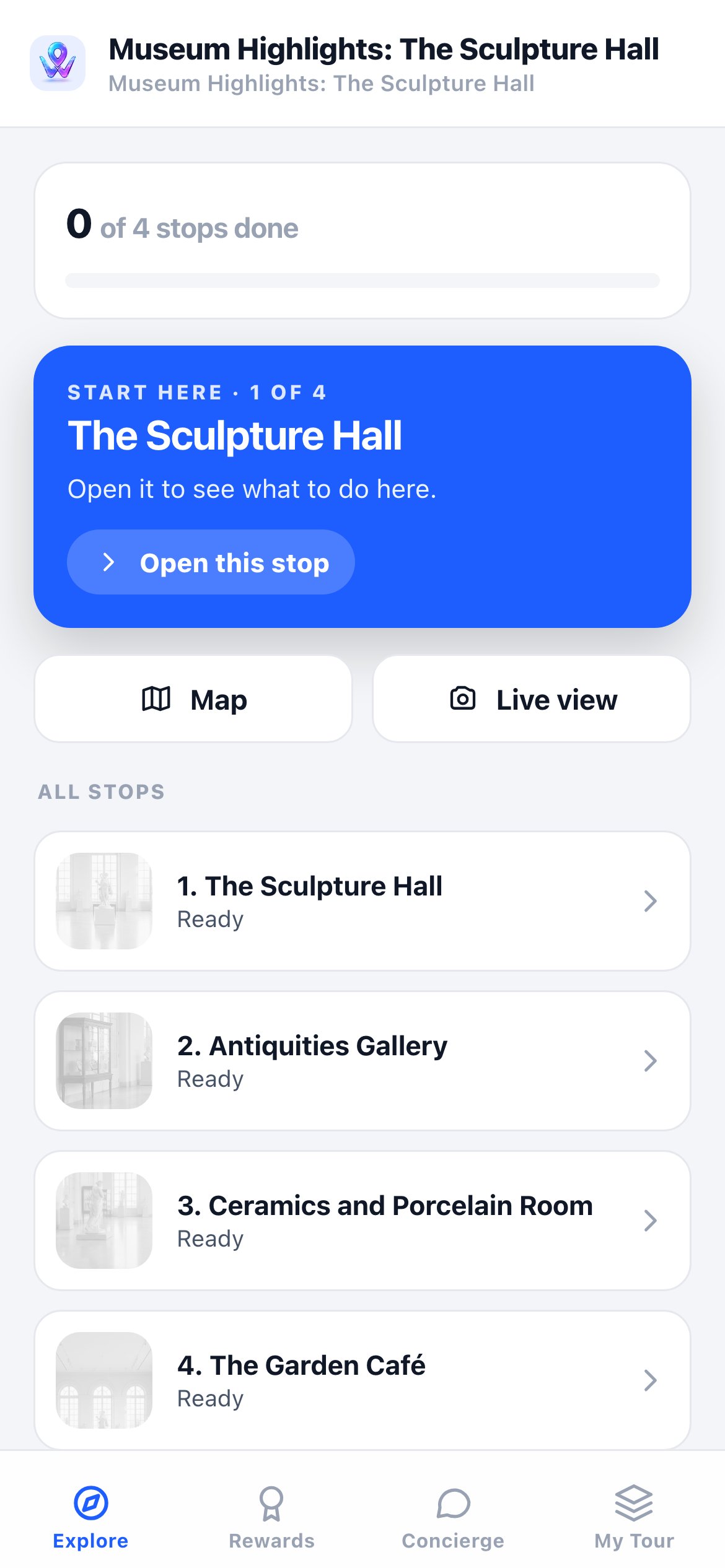
No app to download. The tour opens, shows where to start, and keeps track of every stop they finish.

The first screen of the Sculpture Hall tour: start here, map, live view and the list of stops

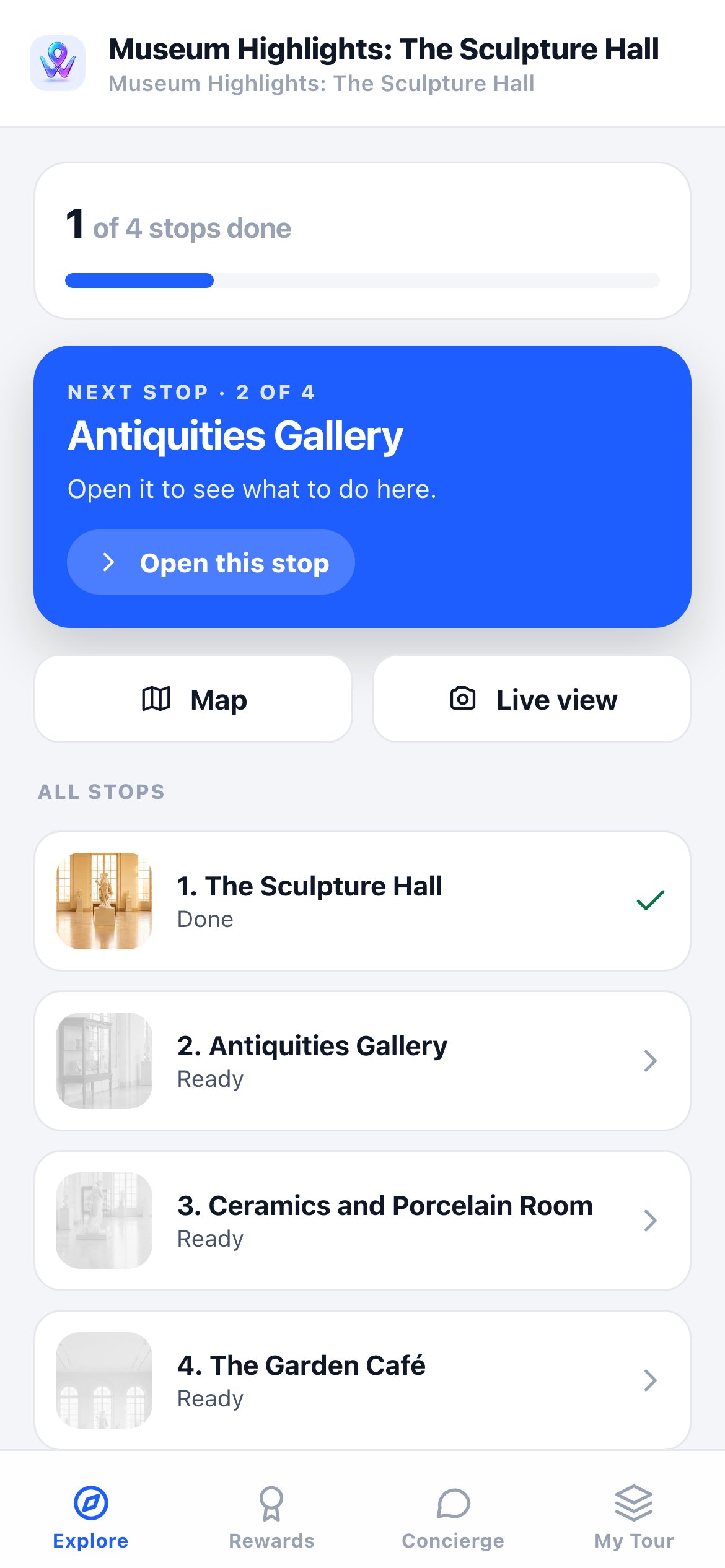
A teenager finishes the first room.

The stop gets a tick, and the next room is already waiting at the top of the screen.

The tour after one stop: 1 of 4 stops done, the next stop Antiquities Gallery, and The Sculpture Hall ticked as done

A child collects the stamp.

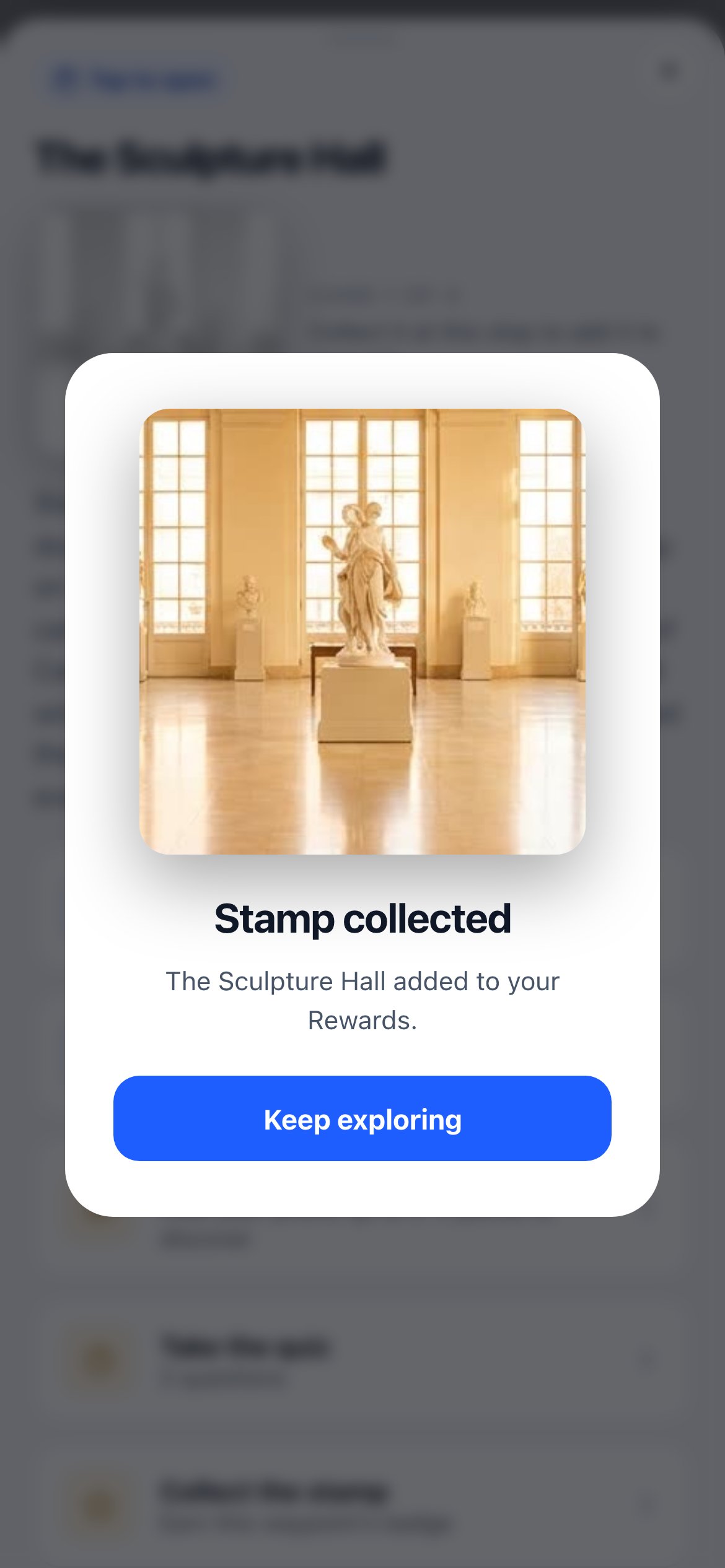
Every stop finished adds a stamp to their collection, and the empty slots pull them on to the next room.

Stamp collected: The Sculpture Hall added to the visitor’s Rewards

One tour. Every visitor walks it their own way.

The place builds itself. And answers for itself.

Give it what you already have, and the experience drafts itself. Then every spot answers questions straight from those same documents. Both are live in the product today.

01Creation

Paste in what you already have — the AI drafts the walk.

A handbook. An SOP. A tour script. Paste in the text and Waypoints drafts the stops, what each one says and the quiz questions — in minutes. You review and publish. No dragging, no pin-by-pin busywork.

One safety SOP A full training journey
Real output: 7 stops and 13 quiz questions drafted from one warehouse forklift-charging SOP — captured straight from the live builder.
Live capture
Waypoints Studio
The Waypoints builder drafting a full forklift-charging safety journey — stops and quizzes — from one uploaded SOP
02The conversation

Every spot answers — from your documents, not a guess.

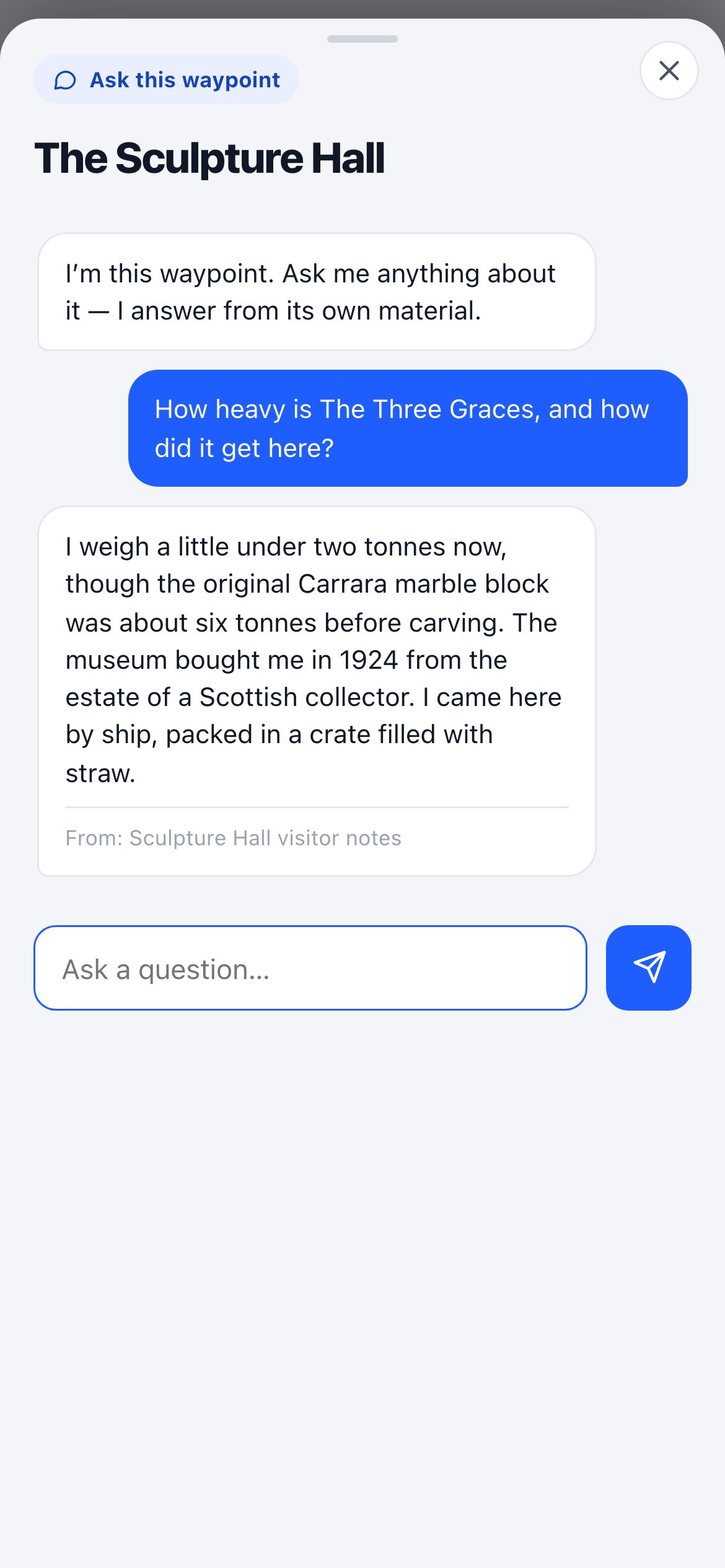
Stand in front of the sculpture and ask. The answer comes from the museum’s own notes for that stop, and every reply shows which document it came from. Ask something the notes don’t cover and it says so, instead of making it up.
Locked to the documents. If it isn’t in this stop’s files, Waypoints says it doesn’t know and suggests asking a member of staff. It never guesses.

Ask this waypoint in the visitor app: asked how heavy The Three Graces is, the stop answers from the museum’s own visitor notes and names the source

Design the collectible. Any style you want.

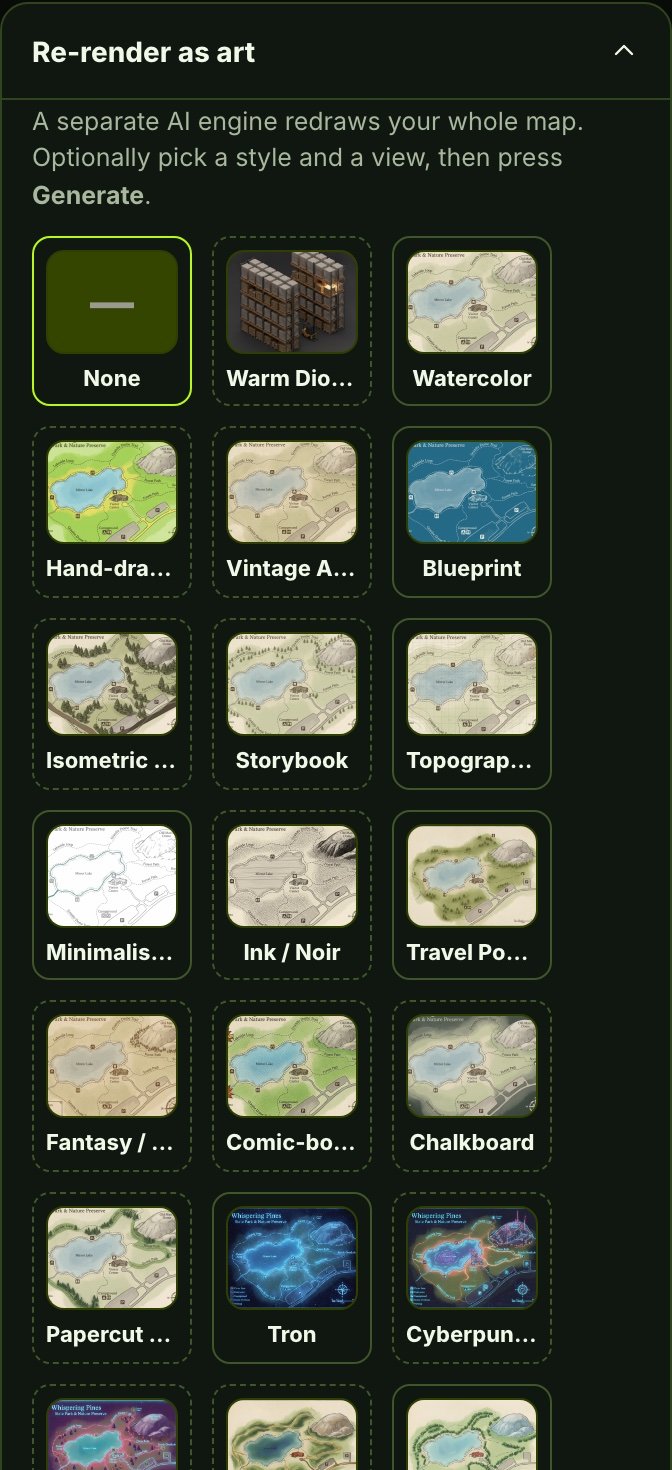
Every stop hands out a collectible people actually chase. Pick a ready-made style from the library, reuse a look from one of your other walks, or upload one you love, your brand, a mascot, an old photo, and the AI draws a whole matching set, one badge per stop.
The same heron rendered as a badge in eight styles: 3D cartoon, vintage stamp, enamel pin, embroidered patch, wax seal, watercolor, line art, and gold coin
One subject, painted eight ways: 3D, vintage stamp, enamel pin, patch, wax seal, watercolor, line art, gold coin. Describe any look in your own words.
Choose a style
Pick a style from the library, or bring your own.
…or bring your own
Drop a reference image Your brand, a photo, a poster, a look you love — the AI matches it and draws a badge for every stop.
Upload a reference AI matches the style A full set, one per stop

From documents to a live experience in four steps.

No code. No print shop. Point your phone and place your stamps.

STEP 01

Create a tour

Name your experience and choose an edition — onboarding, safety, museum, campus, whatever the place is.

STEP 02

AI drafts it from your docs or photos

Paste in a handbook, an SOP or your notes, or photograph each exhibit and its sign. AI writes the stops and quizzes, and can paint the stamp art. Every stop can read itself out loud.

STEP 03

Walk around and place

Stand at each spot and lock its GPS, or print its QR sticker or use an NFC tag. No code, no wiring.

STEP 04

Explore, learn & finish

Visitors discover, collect, ask questions, pass quizzes, and earn badges — and managers see it all.

The stuff people ask before they start.

Do visitors need to download an app?
No. Everything runs in the phone's browser from a link or a scan — no app store, no install, no account required to explore (a walk for employees only asks for a work email). There's zero friction between walking up and the place responding.
How do people arrive at a waypoint?
However the place works best: tap a stop in the list or on the map, scan a QR code, or hold an Android phone near an NFC tag. For an outdoor stop set to GPS, the visitor taps it and the phone checks they are really there. Indoors, outdoors, or both — you can mix them within one experience.
What does the AI actually write?
Most of it. Paste in a handbook, an SOP or your notes, and AI drafts the stops, the descriptions and the quiz questions. Describe the place in a short chat instead, and it also paints a stamp for every stop and draws a map. Or photograph each exhibit and its sign: the AI reads the sign word for word, writes the stop only from what the sign says and what it can see, and places points on the exhibit. Every stop can read itself out loud. You review, edit a few words, drag a point if it needs moving, and publish.
Does it work in other languages, and for children?
Yes. A visitor picks any of 144 languages, starting with the one their phone uses, and who is reading: under 8, 8 to 12, teens or adults. The stops, quiz questions, buttons and spoken narration all switch, and Arabic and Hebrew read right to left. Each version is checked before anyone sees it: the numbers and the right answers must come through unchanged, and an age version may not add a fact your words don't have. Your team can open any version in Studio and change any word.
Can different spots do different things?
Yes, that's the point. Each stop can do any mix of these: read itself out loud; play a video; show a video presenter who speaks your script; ask quiz questions; answer visitors' questions from your own documents; ask them to explain something out loud, by recording their voice or filming themselves, which the AI checks; ask them to take a photo of something you name, which the AI checks; show points that light up on an exhibit when they hold up their phone; show a pin through the camera at an outdoor spot; and hand out a stamp. Picture it: the forklift station asks a quiz and wants a photo of the guard in place, the lobby answers benefits questions, and the overlook plays narration and hands out a stamp.
Is it really the same platform for a museum and a factory?
Yes. One engine powers all of it — the content, the jobs, and the mood change with the place. A museum walk teaches and inspires; a factory walk trains and records who finished; a hotel walk helps and sells souvenirs. Same intelligence, different work.
Can my place have a talking guide?
Yes. AI voice narration reads every stop aloud, hands-free, and “Ask this stop” answers follow-up questions — grounded only in that stop's own documents, so it never wanders off-script. A stop can also play a video presenter who speaks your script.
Pricing

Pricing is set for your place.

Every museum, school and site is different, so we price it with you. Tell us about your halls and your visitors, and we’ll show you Waypoints at work in a museum like yours.

How many halls or sitesWho visits, and how manyWho on your team will build tours
Book a demo

See a museum tour come to life.

A real phone tour, from the first stop to the stamp at the end, with a walk for kids and one for adults.

Waypoints Assistant
Answers about the product, 24/7
Hi! I can answer questions about Waypoints Studio — how it works and what it does for your kind of place. What would you like to know?
Want a walkthrough? Book a demo